

Town Website Templates
Residents need practical service details, while visitors look for landmarks, walking routes, and local events. Town website templates connect these destinations with separate pages, clear menus, and site search so that both audiences can find relevant information.
-
-

-
-
-
-
-
-
-
-
-
-
-
-
-
-
-
-
-
-
Customize Any TemplateDownload
-
-
-
-
-
-
-
-
-






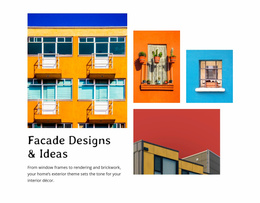
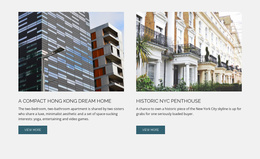

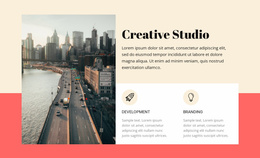
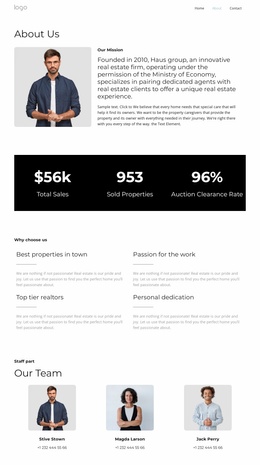

More Website Templates from Architecture & Building Category

Other Architecture & Building Website Templates
Mobile-Friendly Town Website Templates
Choosing a ready-made town design usually starts with knowing who will use the site most often. A small municipality needs space for council news and department contacts, while a tourist information center focuses more on attractions and seasonal events. Town website templates give both projects a finished layout, so the task is judging how close a design already comes to the pages you plan to publish.
Compare Pages for Services and Events
Open the demo and note which sections exist and which you would have to add. A few types of blocks do most of the work on a town site:
- Event cards that show the date and venue of a farmers market or council meeting at a glance.
- Service listings that put each department's phone number and opening hours in the same spot.
- A notices area for road closures and permit deadlines that change from week to week.
A municipal portal usually brings service links and notices to the first screen, while a tourism site opens with attractions and festivals. A village with one town hall can get by with a short menu, but a larger town may need separate sections for departments and neighborhoods.
Check Phone Layouts With Local Branding
On a phone, most people test the menu first, though town sites tend to break elsewhere. Long names like the Department of Public Works must wrap cleanly, and event cards should stack without hiding dates. A bus schedule also needs to stay readable for someone checking it at the stop.
Wide photography suits a town known for its harbor, and a calmer layout can carry a crest and official colors without looking like a corporate brochure. In Nicepage, Theme Settings store the global palette and fonts so that you can switch to the town's own shades in one place. Also check text contrast over photos, since a template alone doesn't guarantee accessibility.
Plan Search Tools Around Frequent Updates
After a few dozen pages, browsing the menu slows down, and a resident looking for a permit form will type the word. Get familiar with the Search feature guide so that you can add a site search field to the header or footer. It returns results only with certain publishing setups, so test it on the live site after launch. Breadcrumbs help visitors keep their bearings in a deep department directory.
Event dates and office hours change constantly, so try moving one event in the editor to see how much effort an update takes. A good fit leaves a natural place for every page you need and still feels like it belongs to that particular town.