
Business Card HTML Templates
A digital business card gives clients a direct way to identify a professional and get in touch. These HTML templates provide structured profile sections, readable contact details, and adaptable layouts for convenient access across devices.





















































Other Business & Law HTML Templates
Professional Business Card HTML Templates
A business card HTML template can become a single, shareable page without requiring a full content management system. Its main job is straightforward: introduce the person, briefly explain their work, and make the next action obvious. Because the page is built from website files, you can adapt its content to an individual profile and publish it on a hosting service of choice.
Organize a Standalone HTML Business Card
Start with a short introduction that establishes who the page represents and what visitors can contact them about. Follow it with the most useful action, such as an email or telephone link, and place optional supporting material further down. A small set of well-named sections is usually more helpful than a long biography divided into numerous blocks.
For a visiting lecturer, the opening could identify their academic field and current institution. Links to published research and a speaker biography provide context, while an organizer's contact address handles event inquiries. These details serve distinct purposes, so they should not compete for the same prominent position.
A compact standalone profile needs only the elements that help visitors identify the person and respond appropriately:
- Identity: show the full name and current professional role at the top.
- Context: describe the field of work in one or two specific sentences.
- Direct contact: offer a working email or telephone link near the introduction.
- Relevant references: include a publication, institutional page, or professional profile only when it supports the visitor's purpose.
Semantic headings and links help keep the document readable, but the structure should follow the information available. A professional with no portfolio need not reserve an empty portfolio area; someone who works across several institutions might need a concise list of relevant destinations instead.
Edit and Publish Your HTML Profile Independently
One advantage of a static business card page is control over where its files live. You can export a completed design, upload it to suitable web hosting, and link to it from an email signature or professional directory. You don't need to make every future content change part of a broader website redesign.
You can use HTML website export to prepare the profile for independent hosting. The exported files include HTML, CSS, JavaScript, and required images, so the completed page can run on a host that supports static websites.
Check contact addresses, professional titles, and external links whenever the profile changes. You can update the Nicepage project and export the page again, or edit the published files directly if you work with HTML. Keep one version as the source for future updates.
Before sharing the exported card, run through a short publishing check:
- Upload the exported files, including their stylesheets, scripts, and images, to the intended static host.
- Open the published URL directly rather than relying only on the editor preview.
- Follow each email, telephone, and external profile link to confirm its destination.
- Check a narrow phone screen for clipped portraits, overflowing addresses, or hidden contact actions.
- Confirm that the published details match the latest source project so later updates can be made consistently.
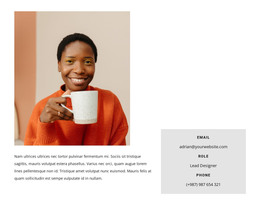
The layout still needs to work on a phone: a portrait may move above the introduction, and long contact details should wrap without hiding the links. Beyond that basic check, the more important question is whether the exported page remains easy to maintain and share.
Before publishing widely, open the exported profile on its intended hosting and check the page with real content. A small, reliable static profile can be more useful than a larger page with sections that rarely get updated.