
Reminders Website Templates






More Website Templates from Contact Form Category
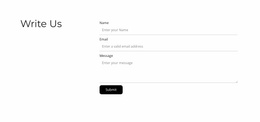

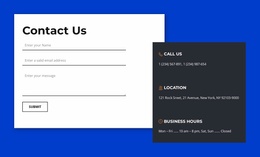


Other Contact Form Website Templates
Mobile-Optimized Reminders Website Templates
Task-centric portals often offer opportunities to carry out important, but small, tasks. Missing an appointment, failing to make a payment on time, or forgetting a deadline can lead to real irritation. It means people need tools that can highlight future activities. Reminders website templates undoubtedly assist in creating websites for reminders and scheduling.
These templates easily fit many different use cases. A productivity app can leverage them to display task dashboards, calendar views, and notification settings. Reminder pages can be easily used in a medical facility for patient appointments, medicine schedules, and follow-ups. Assignment due dates, class notifications, and examination dates can also be consolidated in a school or course portal.
With these solutions, you can easily save up to 90% of development time. That’s at least what some of our users say. In reality, we would still advise you to expect a reduction of 40%. Even 90% is possible, but this applies to ideal conditions.
Flexible Layouts for Tasks, Alerts, and Schedules
With pre-made website templates, you can launch your own portal quickly and easily within an hour.
The main features of the approach include:
- Responsive layouts for desktop and mobile users.
- Flexible sections for alerts, deadlines, and recurring tasks.
- Organized navigation for calendars and task groups.
- Perfectly adaptable pages for productivity and scheduling tools.
- Customizable layouts for different industries.
- Scalable structures that support future growth.
With these in place, a reminder platform stays usable even as the events, tasks, and notifications keep stacking up.
Taking Action at the Right Time
A reminder system should really reduce mental load. Nobody should have to dig through clutter just to figure out what matters right now. A thoughtful website structure highlights the urgent reminders, keeps completed tasks out of the way, and leaves future deadlines easy to review. It can also make the settings clearer, so users decide for themselves how and when notifications arrive.
Different audiences also need different flows. Adaptable templates support all of the user journeys while keeping the experience simple. The resulting website looks great and is really easy to scroll through.
Configure Reminder Websites That Feel Useful Every Day
A good portal of this type should help people act on time without adding more noise to their day. You get to use the reminders website templates to solve these issues. They are built for productivity apps, healthcare services, and schools. Scheduling platforms and business tools that need a clear website foundation can also benefit from them. Get familiar with the offerings and create portals that definitely keep users informed, prepared, and focused.