
Facts HTML Templates
A structured HTML base keeps fact lists, source notes, and topic sections predictable for educators and trivia publishers. Reusable markup gives recurring knowledge entries a consistent pattern before the finished site moves to static HTML export.



















































More HTML Templates from Features Category








































Other Features HTML Templates
Clean Facts HTML Templates
With facts HTML templates, blocks like trivia cards and number counters are already coded, so you start with your content instead of an empty file. You preview a design, adjust it in Nicepage, and export it as HTML you can host on your own server and keep open for manual edits. The catalog stretches from nutrition labels and world statistics to light food trivia, so a serious reference page and a playful one share the same toolkit.
Prebuilt Trivia Cards Beside Hard Numbers
Fact collections are rarely even. One entry fits in a single line, like the old favorite that octopuses have three hearts, while the next needs a date, a measurement, and a source. A good facts layout handles that range with a few kinds of blocks:
- Trivia cards that pair a short statement with an icon or a photo and repeat across a grid.
- Number blocks that keep a large figure, its label, and a line of explanation visually apart.
- Question-and-answer sections for the things readers ask about a topic again and again.
- A small source or date line placed right under the claim it supports.
Preview each design with your longest fact and biggest figure in mind, since a card that looks balanced with demo numbers can feel cramped once real data arrives.
Visual Editor First, Source Code Second
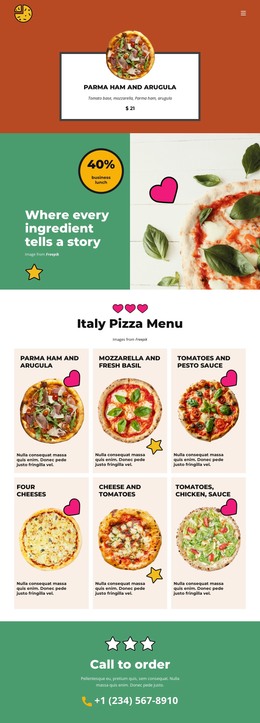
You do not have to edit the HTML source to customize a template. Replacing trivia, updating figures, and reordering blocks all happen in the Nicepage editor, and the markup is generated on export. After that, the exported files remain available for direct editing. A developer can wire a small script to a “random fact” button, duplicate a number block for a new statistic, or move the questions higher on the page. You can also copy a card built for pizza trivia and refill it with coffee facts.
Hosting the Exported Files
Nicepage's HTML export guide walks through the process for the Windows and macOS applications, and Nicepage Online also supports HTML export for your own server. For a facts project, that means finished pages can live next to material you already publish. A museum, for example, could add a page of exhibit facts to the server behind its main site without touching the rest. When a new display opens, someone updates the figures and sources right in the files. That job stays quick when the template already gives each figure and source its own slot. Those slots deserve a close look before you commit to a design.