

Services WordPress Themes
Service businesses regularly update appointment details, staff profiles, and service descriptions. WordPress themes provide a structured design for these updates, while the Nicepage plugin supports visual page editing and coordinated site styling within the CMS.














































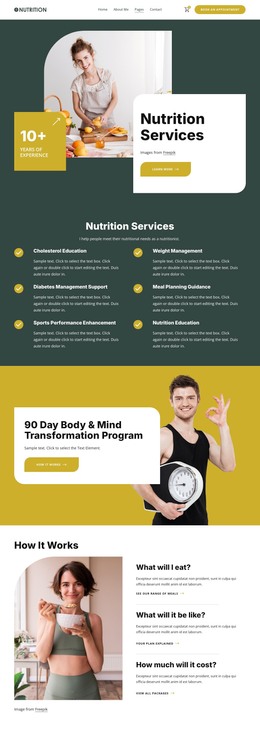






















Other Business & Law WordPress Themes
Flexible Services WordPress Themes for Business Websites
Outdated service descriptions and staff information can make a professional website difficult to maintain. Services WordPress themes help medical practices, accounting firms, property managers, and other service providers establish a website that supports regular content changes. WordPress is the CMS that manages the site, while its theme controls much of the visual presentation and page structure. The Nicepage WordPress Plugin provides visual editing for compatible Nicepage-created content rather than acting as a universal editor for every WordPress page or third-party theme.
WordPress Themes for Service Business Management
A WordPress service website often requires more frequent updates than its original design suggests. A dental practice may introduce a treatment, an accounting firm may revise its consultation packages, or a property management company may add new service areas.
A suitable theme provides the foundation for these changes. Consistent page templates, navigation areas, and shared styling help new information fit the established website.
Nicepage supports a WordPress workflow that connects theme preparation with content management. Businesses can create their designs in the Nicepage application, export the theme and relevant pages, and install them on a self-hosted WordPress website.
Initial deployment follows a sequence rather than a repeating maintenance checklist:
- Prepare the site design and compatible pages in Nicepage.
- Export the WordPress theme and the required page content.
- Install and activate the exported theme on the self-hosted site.
- Import the relevant Nicepage pages and review their content.
- Check navigation, shared areas, and page display before launch.
After launch, different tasks belong to different parts of the WordPress workflow:
- WordPress administration handles users and general site settings.
- Compatible Nicepage pages can be edited through the Nicepage Plugin, including routine revisions to service descriptions and images.
- Header and footer adjustments depend on the selected style source.
- Additional functionality may require separate plugins or configuration.
This distinction helps staff separate routine content work from tasks that require a site administrator or developer.
Visual WordPress Editing and Theme Customization
Within WordPress, teams can use the Nicepage Plugin to revise supported page content while retaining the established theme design.
The official WordPress application workflow explains how to export a theme, install it in WordPress, import content, and edit pages with the Nicepage Plugin.
Shared site styles require particular attention. Nicepage supports configuration of colors, fonts, headers, footers, and templates through its WordPress integration. The available editing controls depend on the selected site style source and plugin configuration.
For example, a counseling practice can update consultation prices or therapist biographies while keeping its established navigation and footer. An equipment maintenance business may revise the services included in a maintenance package and replace outdated equipment photographs as its offerings change.
For a service team, the practical question is who can change a treatment description or staff photograph and who must handle navigation, theme settings, or integrations. Keeping those responsibilities clear helps the site evolve without confusing content edits with changes to the underlying WordPress setup.