HR outsourcing services WordPress Theme



Edit Template Offline
2. Create new page and search for id 6400366
Edit Template Online
Create Awesome Websites


Free Nicepage Builder
Keywords
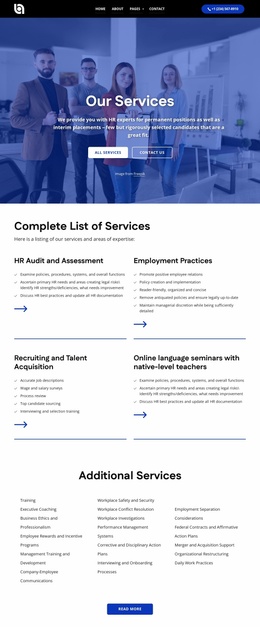
Service categories and recurring content suit managed HR pages
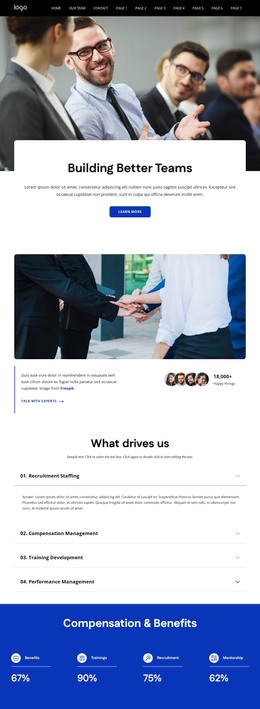
The About Us section gives the design a page-oriented foundation: mission, vision, and core value statements explain the organization before visitors reach the more specific HR categories. The four focus rows then separate Recruitment Staffing, Compensation Management, Training Development, and Performance Management into recurring informational content. In a WordPress-managed project, these areas could remain part of the permanent page structure while additional editorial or organizational content is developed around them; the template itself does not prove that posts or blog structures already exist.
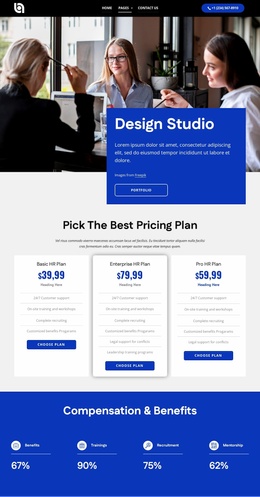
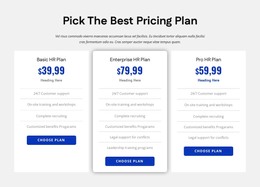
The four photographic service tiles add a publishable-looking category layer through Executive Search, HR Recruitment, Innovative HR Solutions, and Screening of Candidates. They work alongside the three pricing cards, where plan names, prices, feature lists, and selection buttons provide a distinct commercial content area. Partner marks can support a separate relationship-oriented section, while the contact form, office locations, phone details, and footer links preserve the route to inquiry. This combination makes the design suitable for a WordPress theme interpretation focused on maintaining recurring service and page content within one visual system. The blue bands, white cards, and image-led sections give future content a stable presentation without requiring unsupported claims about specific WordPress Pages, Posts, widgets, or categories.
Customize with Nicepage
Open this ready-made template in the WordPress Website Builder and customize it visually in the Nicepage editor. Replace demo content, edit page sections, and adapt the design to your project without rebuilding the template from scratch.
Manage and Edit This Theme in WordPress
Customize and Install the WordPress Theme
Start with this ready-made theme instead of building the WordPress design from scratch. Customize its layout, content, typography, images, sections, and other design elements visually in Nicepage editor, then export and install the WordPress Theme, Plugin, and Pages on your WordPress site. The Nicepage WordPress Plugin lets you continue working with the site after installation.
Edit the Theme Directly in WordPress
After installation, you can edit the WordPress Theme directly in WordPress with the Nicepage WordPress Plugin. Use Site Style to customize site Colors, Fonts, Header, Footer, Blog, and Post Page Templates while working within your WordPress website.
Edit WordPress Pages Visually
Use the Nicepage WordPress Plugin to edit page content directly from the WordPress admin area. Open a WordPress Page with Nicepage and visually change its text, images, sections, and other page elements while continuing to manage the Page through WordPress.
WordPress Content and Theme Integration
Use the customized theme with WordPress Pages, Posts, Blog and Post Templates, menus, widgets, and other CMS-managed content. Shared theme elements such as Colors, Fonts, Header, Footer, Blog, and Post Page Templates can be managed as part of the overall site design, while WordPress provides the CMS environment for managing site content.
This workflow combines a ready-made WordPress Theme with visual customization, direct theme editing in WordPress, and continued content management through the Nicepage WordPress Plugin.