Service deserve WordPress Theme


Icon-led benefits create stable WordPress page content
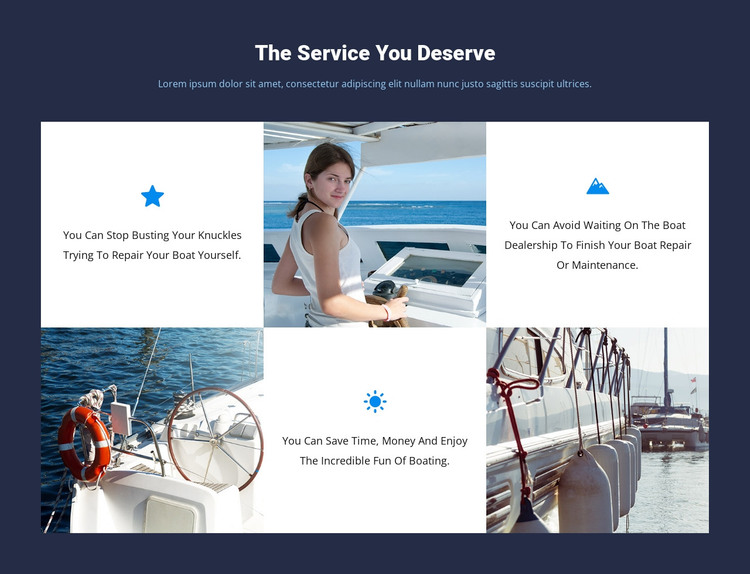
The block’s content reads as permanent service information rather than a time-sensitive article. “The Service You Deserve” introduces the message, and the three icon-and-text tiles divide it into distinct reasons for seeking boat repair or maintenance support. One statement addresses the effort of repairing a boat without help, one emphasizes avoiding dealership waiting time, and one links professional support with saving time and money while enjoying boating. The adjacent three photographic boat tiles reinforce the marine subject and keep the mosaic from becoming a text-only information panel.
For a WordPress-managed site, this section can occupy a stable services area on a page while other content develops around it. Its six-cell alternating structure makes the content category visually recognizable: written benefits appear as repeated white units, and boat imagery supplies a corresponding visual pause. The dark navy background holds the composition together, while blue icons distinguish the individual benefits without introducing a separate interaction. Because the block is static, its meaning comes from the relationship between the heading, repeated benefit units, and supporting photographs.
Nicepage’s WordPress Pages workflow provides relevant context for placing designed content within a wider WordPress project. The block itself remains one reusable page section, suitable for a services or benefits area while the surrounding site handles navigation, additional content, and other page roles.
Customize with Nicepage
Open this ready-made template in the WordPress Website Builder and customize it visually in the Nicepage editor. Replace demo content, edit page sections, and adapt the design to your project without rebuilding the template from scratch.
Edit Template Offline
2. Create a new page or select existing
3. Click Add new block, search for id 41538 and click enter
Edit Template Online
Create Awesome Websites


Free Nicepage Builder
Keywords
Manage and Edit This Theme in WordPress
Customize and Install the WordPress Theme
Start with this ready-made theme instead of building the WordPress design from scratch. Customize its layout, content, typography, images, sections, and other design elements visually in Nicepage editor, then export and install the WordPress Theme, Plugin, and Pages on your WordPress site. The Nicepage WordPress Plugin lets you continue working with the site after installation.
Edit the Theme Directly in WordPress
After installation, you can edit the WordPress Theme directly in WordPress with the Nicepage WordPress Plugin. Use Site Style to customize site Colors, Fonts, Header, Footer, Blog, and Post Page Templates while working within your WordPress website.
Edit WordPress Pages Visually
Use the Nicepage WordPress Plugin to edit page content directly from the WordPress admin area. Open a WordPress Page with Nicepage and visually change its text, images, sections, and other page elements while continuing to manage the Page through WordPress.
WordPress Content and Theme Integration
Use the customized theme with WordPress Pages, Posts, Blog and Post Templates, menus, widgets, and other CMS-managed content. Shared theme elements such as Colors, Fonts, Header, Footer, Blog, and Post Page Templates can be managed as part of the overall site design, while WordPress provides the CMS environment for managing site content.
This workflow combines a ready-made WordPress Theme with visual customization, direct theme editing in WordPress, and continued content management through the Nicepage WordPress Plugin.