Prioritize customer service WordPress Theme


Ordered Construction Content for a WordPress-Managed Page
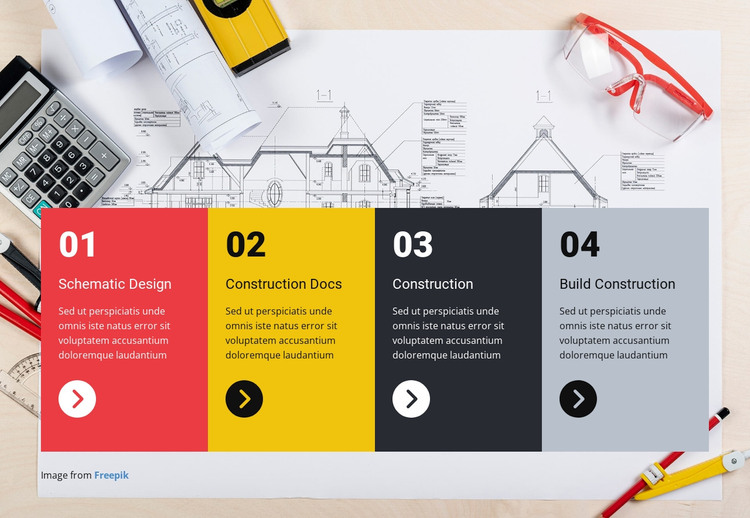
The four cards read as stable page content that can fit a WordPress-managed construction or services page. Instead of presenting a changing feed, the section explains an ordered workflow through Schematic Design, Construction Docs, Construction, and Build Construction. Each stage has its own supporting paragraph, so the content can remain visually separated while the 01–04 numbering communicates progression. The circular arrow icons add a repeated cue that links the four items without introducing a different interaction model.
The architectural plans and drafting-tools image gives the section a consistent subject context, and the four card colors distinguish the content units for quick scanning. Red, yellow, charcoal, and pale blue-gray treatments sit behind large step numbers, titles, and descriptions. On the desktop preview, the equal-height cards form a single row, making the section easy to recognize as one bounded process area. The Freepik credit remains beneath the cards as supporting image attribution.
In a WordPress-oriented project, this block can remain part of permanent page content while the wider site manages other pages and editorial material separately. Nicepage documentation supports WordPress page and theme workflows, but the practical role here is narrower: the block supplies a reusable, ordered service section whose construction stages can be maintained within a broader CMS-managed design.
Customize with Nicepage
Open this ready-made template in the WordPress Website Builder and customize it visually in the Nicepage editor. Replace demo content, edit page sections, and adapt the design to your project without rebuilding the template from scratch.
Edit Template Offline
2. Create a new page or select existing
3. Click Add new block, search for id 67415 and click enter
Edit Template Online
Create Awesome Websites


Free Nicepage Builder
Keywords
Manage and Edit This Theme in WordPress
Customize and Install the WordPress Theme
Start with this ready-made theme instead of building the WordPress design from scratch. Customize its layout, content, typography, images, sections, and other design elements visually in Nicepage editor, then export and install the WordPress Theme, Plugin, and Pages on your WordPress site. The Nicepage WordPress Plugin lets you continue working with the site after installation.
Edit the Theme Directly in WordPress
After installation, you can edit the WordPress Theme directly in WordPress with the Nicepage WordPress Plugin. Use Site Style to customize site Colors, Fonts, Header, Footer, Blog, and Post Page Templates while working within your WordPress website.
Edit WordPress Pages Visually
Use the Nicepage WordPress Plugin to edit page content directly from the WordPress admin area. Open a WordPress Page with Nicepage and visually change its text, images, sections, and other page elements while continuing to manage the Page through WordPress.
WordPress Content and Theme Integration
Use the customized theme with WordPress Pages, Posts, Blog and Post Templates, menus, widgets, and other CMS-managed content. Shared theme elements such as Colors, Fonts, Header, Footer, Blog, and Post Page Templates can be managed as part of the overall site design, while WordPress provides the CMS environment for managing site content.
This workflow combines a ready-made WordPress Theme with visual customization, direct theme editing in WordPress, and continued content management through the Nicepage WordPress Plugin.