Your complete home-buying service WordPress Theme


A publishable service package with separate pricing content
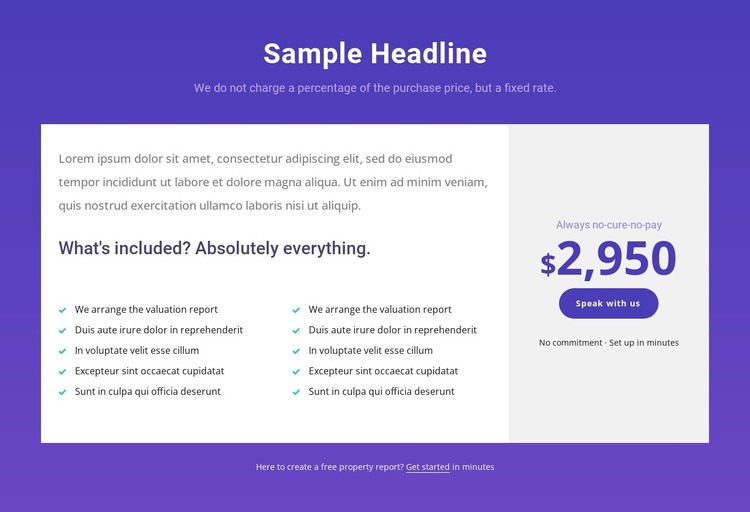
The two five-item lists make the block read as stable service information rather than a transient announcement. They sit within a large white panel beneath the centered heading and subtitle, where an introductory paragraph leads into the included-items heading and repeated entries. The visible phrase “We arrange the valuation report” gives the list group a specific property-report connection, while the teal check markers distinguish each included item without adding interaction. The block remains static, so its content can be treated as a clearly bounded page section.
The right-hand pricing panel gives WordPress-managed page content a separate offer area. Its pale background contrasts with the larger white panel and concentrates the “Always no-cure-no-pay” label, the displayed $2,950 amount, the “Speak with us” button, and the supporting no-commitment note. Beneath the main panels, the free-property-report prompt and “Get started” link provide an additional content route. In a WordPress-oriented project, this section can remain part of a stable services or pricing page while the wider site manages other pages and content around it. The block’s reusable value comes from its clear separation of included information, price, and actions, not from being a complete theme.
Customize with Nicepage
Open this ready-made template in the WordPress Website Builder and customize it visually in the Nicepage editor. Replace demo content, edit page sections, and adapt the design to your project without rebuilding the template from scratch.
Edit Template Offline
2. Create a new page or select existing
3. Click Add new block, search for id 3785162 and click enter
Edit Template Online
Create Awesome Websites


Free Nicepage Builder
Keywords
Manage and Edit This Theme in WordPress
Customize and Install the WordPress Theme
Start with this ready-made theme instead of building the WordPress design from scratch. Customize its layout, content, typography, images, sections, and other design elements visually in Nicepage editor, then export and install the WordPress Theme, Plugin, and Pages on your WordPress site. The Nicepage WordPress Plugin lets you continue working with the site after installation.
Edit the Theme Directly in WordPress
After installation, you can edit the WordPress Theme directly in WordPress with the Nicepage WordPress Plugin. Use Site Style to customize site Colors, Fonts, Header, Footer, Blog, and Post Page Templates while working within your WordPress website.
Edit WordPress Pages Visually
Use the Nicepage WordPress Plugin to edit page content directly from the WordPress admin area. Open a WordPress Page with Nicepage and visually change its text, images, sections, and other page elements while continuing to manage the Page through WordPress.
WordPress Content and Theme Integration
Use the customized theme with WordPress Pages, Posts, Blog and Post Templates, menus, widgets, and other CMS-managed content. Shared theme elements such as Colors, Fonts, Header, Footer, Blog, and Post Page Templates can be managed as part of the overall site design, while WordPress provides the CMS environment for managing site content.
This workflow combines a ready-made WordPress Theme with visual customization, direct theme editing in WordPress, and continued content management through the Nicepage WordPress Plugin.