Our various services WordPress Theme


Stable Photography Content Across Four Page Areas
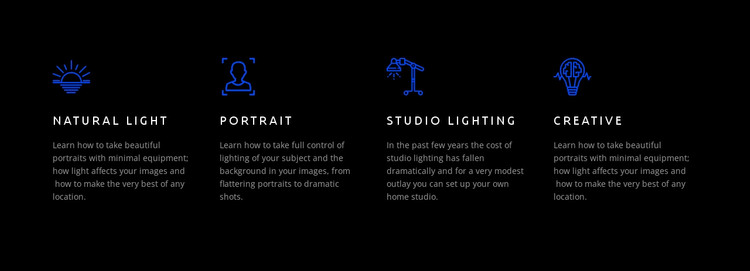
The four repeated items read as stable instructional content rather than a temporary announcement. Natural Light introduces portrait work with minimal equipment and available locations, Portrait focuses on controlling light for flattering or dramatic results, Studio Lighting explains a home-studio setup with modest equipment costs, and Creative returns to portrait guidance based on limited equipment and available light. Each topic remains distinct while sharing the same icon-title-description pattern.
That content model makes the block suitable for a reusable page section in a WordPress-managed site. It can present a concise set of photography features on a services, course, or overview page, while other page content supplies longer explanations, images, testimonials, or contact information. The section does not need to carry those surrounding functions because its four columns already establish a complete overview of the selected learning areas.
The visual treatment supports consistency when the section appears alongside other page content. Blue line icons act as recurring markers, white uppercase titles create a clear naming hierarchy, and gray paragraphs keep the explanations readable against the black background without competing with the labels. The generous spacing separates the four topics and preserves their parallel status. In a broader WordPress project, the block can therefore remain a recognizable feature region while the surrounding site manages additional pages and content.
Customize with Nicepage
Open this ready-made template in the WordPress Website Builder and customize it visually in the Nicepage editor. Replace demo content, edit page sections, and adapt the design to your project without rebuilding the template from scratch.
Edit Template Offline
2. Create a new page or select existing
3. Click Add new block, search for id 40955 and click enter
Edit Template Online
Create Awesome Websites


Free Nicepage Builder
Keywords
Manage and Edit This Theme in WordPress
Customize and Install the WordPress Theme
Start with this ready-made theme instead of building the WordPress design from scratch. Customize its layout, content, typography, images, sections, and other design elements visually in Nicepage editor, then export and install the WordPress Theme, Plugin, and Pages on your WordPress site. The Nicepage WordPress Plugin lets you continue working with the site after installation.
Edit the Theme Directly in WordPress
After installation, you can edit the WordPress Theme directly in WordPress with the Nicepage WordPress Plugin. Use Site Style to customize site Colors, Fonts, Header, Footer, Blog, and Post Page Templates while working within your WordPress website.
Edit WordPress Pages Visually
Use the Nicepage WordPress Plugin to edit page content directly from the WordPress admin area. Open a WordPress Page with Nicepage and visually change its text, images, sections, and other page elements while continuing to manage the Page through WordPress.
WordPress Content and Theme Integration
Use the customized theme with WordPress Pages, Posts, Blog and Post Templates, menus, widgets, and other CMS-managed content. Shared theme elements such as Colors, Fonts, Header, Footer, Blog, and Post Page Templates can be managed as part of the overall site design, while WordPress provides the CMS environment for managing site content.
This workflow combines a ready-made WordPress Theme with visual customization, direct theme editing in WordPress, and continued content management through the Nicepage WordPress Plugin.