
Clock HTML Templates
Clock retailers and watch brands repeat the same model details across entire collections. Structured HTML layouts keep images, movement data, materials, dimensions, and prices in predictable sections that remain usable across desktop and mobile screens.
-

-

-
-
-
-
-
-
-
-
-
Free Website Builder SoftwareDownload
-
-
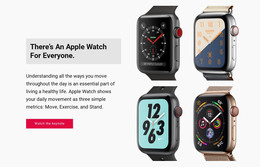



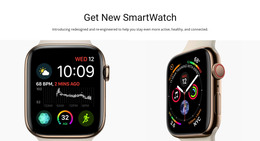
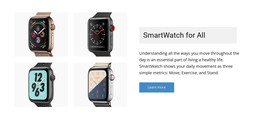

More HTML Templates from Technology Category


























Other Technology HTML Templates
Clock HTML Templates for Digital, Analog, and World Time Displays
A clock interface has one visible job: to show the current time so somebody can read it in a second. Clock HTML templates provide the markup for the display and the rest of the source files, ready to edit and publish on your own hosting. Inside, there might be a digital readout, an analog face, or a board of city cards.
Choosing Between Digits and Dials
A digital readout is the plainer starting point, needing little more than containers for hours, minutes, and seconds. A marker for AM/PM or a 12-hour/24-hour switch usually sits beside them. An analog face works differently because the dial, the hour marks, and the hands each need an element of their own before a script turns them.
Most clock interfaces are assembled from a few recognizable parts:
- time values with a separate slot for seconds
- hour and minute hands over a marked dial
- a date line, weekday label, or alarm indicator
- a city name and offset for every extra zone
City cards are where the markup starts to repeat, since a board of eight cities uses one block eight times. Nicepage Grid Repeater covers that pattern, and the Grid Repeater Element documentation explains how one item defines the layout for many entries. Product rows for wall clocks repeat the same way.
Markup That Updates Every Second
Two different things travel under the same name here. Sometimes the time is written into the file and never moves, which is fine for a screenshot and misleading in production. A working clock needs JavaScript to read local time and write it back into the elements prepared for it, while a countdown runs the same idea backward toward a date.
The second hand is the honest test. A demo can look convincing while nothing runs behind it, so a preview deserves a few seconds of your time.
Legibility on Small Screens
Clocks are read from farther away than most interface elements. Numerals that look elegant on a desktop turn to grey mush on a phone held at arm's length, and a thin second hand disappears against a busy photograph.
What people adjust afterward is the numeral style, the weight of the hands, and whether the display looks light or dark. Contrast matters most, because a clock nobody can read at a glance has failed at its only task. It helps to settle early which of these you are building, since a single clock, a zone board, and a countdown start from different elements.