
Characters HTML Templates
An illustrator introducing a humanoid robot needs a portrait, a distinct role, and enough background to explain the design. With characters HTML templates, creators can organize this information through clear headings, image descriptions, and attribution sections.




More HTML Templates from About Us Category




Other About Us HTML Templates
Creative Characters HTML Templates for Introducing People and Teams
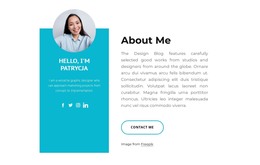
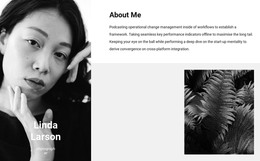
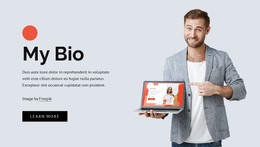
People looking for characters HTML templates usually already have their content ready. It may be a photo of a studio's lead artist, a founder's career history, or a freelancer's About Me text. What they lack is a prebuilt section that pairs the face with the story. Most of the catalog features real people. About Us sections introduce agencies and teams, while About Me and profile designs present one talent at a time. As you browse, compare where the image takes most of the space, where longer text has room, and where only a brief introduction fits.
Layouts for One Person or a Whole Team
The designs in this category show several compositions, and each one suits a different amount of text:
- Great Leaders pairs a large business portrait with an About Us heading and one paragraph, enough to introduce a founder.
- About Our Agency adds four social links, handy because clients often look up a person's profiles before getting in touch.
- About Our Main Artist puts the portrait at the center with a paragraph beneath it, room enough for a short artist statement.
- Our Story lays a rounded text card over a circular photo of three colleagues, ready for a small team with a shared history.
These are single sections, so each goes inside a larger HTML page with its own title, where the person's name takes a lower heading level.
Testing with Real Names and Pictures
A vertical headshot and a wide group photo rarely suit the same block, so try your own picture and see where the text ends up. Nicepage's Image Element supports image sizing and SEO Alt descriptions. Let the alt text describe what is visible, like a pose or an outfit, because a bare name says little. The name and role belong in the block as live text, where search engines can read them. For an illustrator, pick a block with room for a credit and a portfolio link. Then type a real name over the demo heading, paste in a description of the length you have, and check whether the section still reads well.
From Catalog Card to Exported Files
Each design in the catalog comes with an ID. Add a new block in your Nicepage project and search for that number to bring the design onto the page. Once everything is in place, the HTML Export option produces files you can upload to your own hosting or hand to a developer. The right block holds everything you prepared without trimming and fits the spot on the page where it will stay.