A graphic symbol Website Template


A Reusable Advisory Section With Separate Social and Editorial Roles
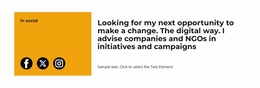
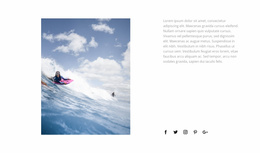
The section defines one recognizable website content area: a professional introduction supported by a distinct social-link panel. Its narrower left column uses a warm color field to contain the social label and three external links to Facebook, Twitter/X, and Instagram. The wider right column carries the primary communication, with a large heading followed by a supporting paragraph. This division makes the block self-contained enough to reuse without asking it to cover unrelated site functions.
In a broader website project, the section could provide an introduction to an adviser, consultant, organization, or campaign initiative. Neighboring blocks could handle detailed services, case studies, testimonials, contact information, or other content, while this block establishes the person or position in a compact form. The arrangement can therefore recur as a stable profile or advisory pattern while surrounding pages supply deeper context.
Its reusable quality comes from the relationship between content and layout. The heading and paragraph remain together in the larger reading area, while social access stays grouped in a visually separate column. That structure allows the wording, imagery, or surrounding page context to change without losing the block’s central logic. For a website template project, it offers a defined section choice: a strong two-column introduction that balances editorial emphasis with direct access to external social channels.
Customize with Nicepage
Open this ready-made template in the Website Template Builder and customize it visually in the Nicepage editor. Replace demo content, edit page sections, and adapt the design to your project without rebuilding the template from scratch.
Edit Template Offline
2. Create a new page or select existing
3. Click Add new block, search for id 6187333 and click enter
Edit Template Online
Create Awesome Websites


Free Nicepage Builder
Keywords
Use This Block in a Broader Website Template Project
Treat the Block as One Reusable Site Section
A website project is assembled from multiple pages and sections. The analyzed block provides one reusable content area—such as services, About, testimonials, pricing, gallery, team, or contact—while the rest of the site supplies other page-level functions.
Coordinate the Section With Other Pages
Use the Pages panel to manage the pages of the broader project. The block can remain one consistent section pattern while related pages add deeper information or different content without implying that the Block ID itself contains those pages.
Expand With Matching Designs
When additional pages or sections are needed, Page Design Sets can help locate matching Page and Block Designs. This can extend the visual direction around the existing block while keeping the site's other content areas separate.
This workflow treats the block as a reusable building unit inside a larger Website Template project, not as a complete website foundation on its own.