
Market Html Code Examples
Marketplaces need clear product categories, vendor offers, pricing, and trust cues that developers can extend after design approval. This HTML-code workflow keeps those storefront sections visually structured while preserving editable markup for handoff and export.
-

-
-
Customize Any TemplateDownload
-
-












More Website & HTML Templates for Market





































More Html Code Examples from Sale Category






































Other Sale Html Code Examples
Advanced Market HTML Code
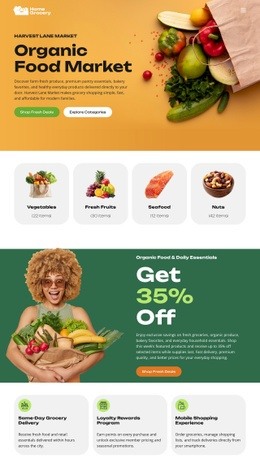
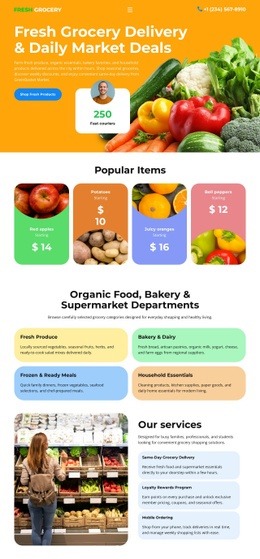
Market HTML code examples give you a working front end for a store instead of a blank page. A catalog grid, category areas, and product entries come preassembled, along with the promotional blocks that usually surround them. You can read how each part is put together, change what it shows, and keep the files once the design is settled.
Markup Behind Catalog Grids and Seller Blocks
A storefront repeats a small set of structures. The catalog grid contains product entries, each with an image, a name, and a price line. Category areas group entries so visitors can move between ranges without scrolling through everything at once. A marketplace adds seller blocks with a logo, a short description, and a link through to that seller's own listings.
Working at source level keeps those parts in your hands. When a shop doubles its range, the new entries follow the structure the first ones already use, and the category navigation grows with them.
The pieces you end up adapting are usually the same few:
- category labels and navigation links;
- product names, descriptions, and price blocks;
- promotional headings for a sale or a featured collection;
- seller information, where the store carries more than one.
Custom Snippets Where Standard Elements Stop
Most market pages need no hand-written HTML at all. The exception comes into play when a section needs to do something the standard elements do not cover, such as an external widget, a feed from another system, or a block that a third-party service must read. The HTML Element documentation covers how external HTML goes into a Nicepage project when the built-in set runs out.
Keep that for the places that genuinely need it. A store pushing every product card through custom snippets loses the reason it started with a ready example.
Export Working Files for Later Edits
Once the design is approved, you export the project as files. Nicepage exports HTML sites from its desktop applications on Windows and macOS, and third-party hosting is unrestricted so you can host the site wherever the store is meant to live.
That matters for a shop that expects changes later. You can open the exported HTML, extend it, or pass it to whoever handles the next round of work, and the structure you inspected in the example is the structure you get.
Market HTML code examples suit a store that wants a commerce layout and the underlying code. Take the structure, fit the catalog and offer blocks to your own range, and edit the files directly when something specific comes up.