

Library Website Mockups
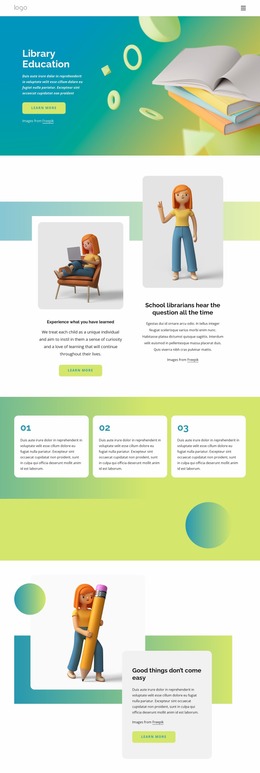
Students, researchers, and community visitors often approach library websites with different goals. A mockup helps evaluate search placement, service priorities, and navigation concepts before the visual design becomes a finished website.







More Website & HTML Templates for Library




More Website Mockups from Education Category

Other Education Website Mockups
Creative Library Website Mockup for Visitor Journeys
A library website can look attractive yet leave students unsure where to search for titles or request research assistance. A library website mockup helps librarians, educational institutions, and design teams evaluate these interactions before development. By reviewing the proposed layout of catalog access, resource categories, and service information, stakeholders can spot confusing paths and agree on a practical interface concept.
Define the Library Experience Before Development
A useful mockup begins with the tasks visitors expect to complete. University students may need journal databases, citation support, or study-room information. Public library patrons might prioritize book availability, borrowing instructions, and local branch services.
The preliminary layout should reveal how these audiences reach their destinations. A prominent catalog search area may suit a collection-focused institution. At the same time, a multi-branch library may need a conspicuous Locations menu that separates each branch’s hours and services.
At this stage, content placement matters more than decorative details. Use realistic section names and representative information instead of relying entirely on generic placeholder text. This makes design discussions more meaningful for librarians and other stakeholders.
Position Search and Service Choices
Search access is an important consideration in many library website mockups. Designers should evaluate whether visitors recognize the search area immediately and understand what type of material it represents.
Compare two static mockups: one places the catalog search field prominently near the top, while the other puts a Catalog link in the main menu. The team is testing whether first-time visitors notice how to search for books without confusing catalog search with site-wide search. Neither mockup demonstrates a functioning search integration.
Nicepage provides Page Wireframes with preset layouts and placeholder content. These starting points can help teams establish the relative positions of search areas, resource categories, and supporting information before refining the design.
Evaluate Navigation Concepts With Library Stakeholders
A static library website mockup should make the proposed information hierarchy and navigation labels easy to discuss before development. Testing working transitions would require a separate interactive prototype.
Present the initial composition to librarians, reference staff, and representatives of the intended audience. Ask them to identify where they would expect to find a research database, borrowing information, or help.
For example, reference staff may find that visitors overlook the catalog link. The team can move it higher in the mockup, rename an unclear Resources menu item, or make branch opening hours more prominent before approving the layout.
Test Representative Visitor Scenarios
Consider several realistic tasks during the design review. A student should be able to identify the proposed route to academic journals. A parent should recognize where children's resources belong. A new visitor should find the intended location for branch information.
Use these scenarios to compare alternative mockups and refine the hierarchy of essential elements. Nicepage Magnetic Guides can help align branch cards, menu labels, and other visual elements as the composition changes.
A successful library website mockup is not simply a polished picture of a future site. It is a decision-making tool that helps teams agree on search visibility, service priorities, and navigation expectations before implementation begins.