
Hunting WordPress Themes
An autumn habitat report can remain useful long after the season ends, but it should not be mistaken for current hunting regulations. Hunting WordPress themes help outfitters organize dated field posts, editorial categories, and updates in WordPress.



More WordPress Themes from Pets & Animals Category
-

-
-
-
-
-
-
-
-
-
-
-
-
-
-
-
-
-
-
-
-
-
-
-
-
-
-
-
-
-
-
-
-
Free Website Builder SoftwareDownload
-
-
-
-
-
-
-
-









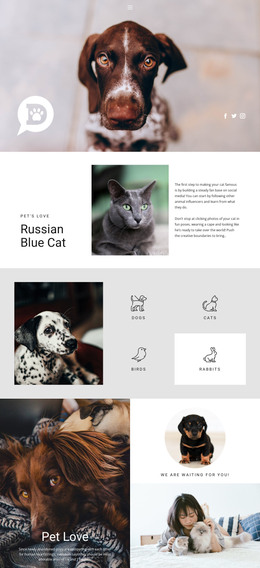
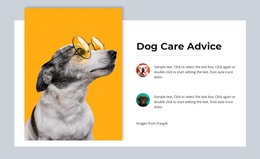

Other Pets & Animals WordPress Themes
Contemporary Hunting WordPress Themes
Hunting WordPress themes suit outfitters, clubs, and gear shops that keep publishing long after launch. A theme sets the look of the whole site, from the homepage and header to the archive where older posts collect, while WordPress handles the publishing. The right one fits your hunting business and stays tidy through a few seasons of updates.
What You Get With the Theme
A WordPress theme is a set of connected layouts in one style, usually a homepage, inner layouts for trips or club information, and blog views for posts. When you compare demos, four points matter most:
- Check the inner layouts, because an outfitter with a dozen trips needs a services page that handles long descriptions as well as the homepage handles its hero photo.
- Open the menu and post cards on a phone, since club members tend to check event dates there.
- Confirm that the specific theme works with Gutenberg, Elementor, or WooCommerce if you plan to use them.
- Ask how often the theme gets updates for new WordPress versions.
Where Plugins Take Over
Booking requests, member logins, and online sales usually come from plugins, so the theme has to present them well and stay compatible. The split looks different for each hunting business:
- An outfitter keeps guided trips on stable Pages and adds season reports or habitat restoration notes as Posts, so returning hunters find fresh news next to familiar trip details.
- A club posts banquet recaps and announcements, though a working events calendar needs a plugin the theme supports.
- A lodge announces a remodeled skinning shed in a quick post while rates and amenities stay on fixed Pages.
- A gear shop relies on WooCommerce, so a nice product grid in the demo means little until compatibility is confirmed.
Editing Through Nicepage After Launch
Nicepage themes are designed in the Desktop Application, and a typical workflow is to upload and activate the theme, install the Editor Plugin, and import the content. Afterward, the plugin's Site Style settings let you adjust colors, fonts, and the blog and post layouts inside WordPress, provided the plugin is set as the style source in your version. When a club switches colors, change them there once and check that service pages, news, and the archive still match. Make structural changes through the Desktop Application.
Before settling on a hunting WordPress theme, recreate your main services page, one information page, and a real post in the demo. If all three look like parts of one site and the post needed no layout work, the theme will carry you through many seasons.