Bird food WordPress Theme


Stable Shop Content Sits Beside a Focused Email Area
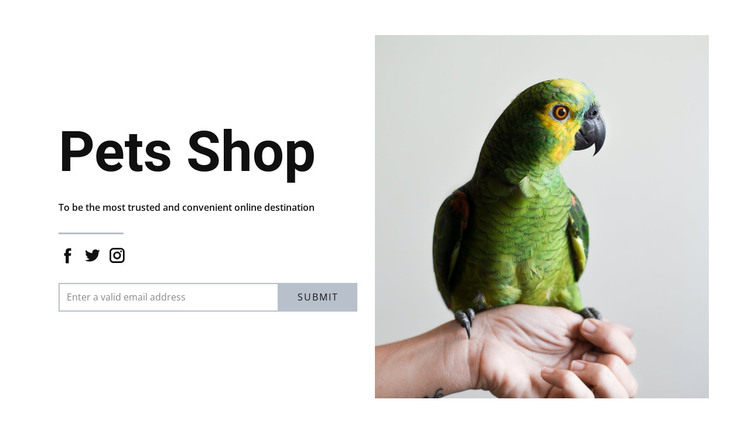
The “Pets Shop” heading and supporting statement read as durable page content rather than a stream of time-sensitive updates. They establish the section’s subject before the horizontal email input and Submit control ask visitors for a response. Three social icons below the divider provide an additional connection route, while the single parrot photograph on the right keeps the section visually tied to pets and animals without adding another content list.
In a WordPress-oriented project, this block can participate as a reusable section on a stable shop or informational page. The wider CMS-managed site can handle other content areas around it, while this layout preserves its own relationship between message, email collection, social links, and image. The block does not need to be treated as a standalone theme to be useful: its role is the publishable visual content area supplied to a broader page.
The split composition also gives the section a consistent presentation when the surrounding project grows. The black heading provides a dependable entry point, muted gray text supports it, and the white background leaves the section adaptable to different page contexts. A WordPress-managed site could place related pet information, product content, or later contact material around this block, but the section itself remains focused on introducing the shop and collecting an email address beside one relevant photograph.
Customize with Nicepage
Open this ready-made template in the WordPress Website Builder and customize it visually in the Nicepage editor. Replace demo content, edit page sections, and adapt the design to your project without rebuilding the template from scratch.
Edit Template Offline
2. Create a new page or select existing
3. Click Add new block, search for id 102437 and click enter
Edit Template Online
Create Awesome Websites


Free Nicepage Builder
Keywords
Manage and Edit This Theme in WordPress
Customize and Install the WordPress Theme
Start with this ready-made theme instead of building the WordPress design from scratch. Customize its layout, content, typography, images, sections, and other design elements visually in Nicepage editor, then export and install the WordPress Theme, Plugin, and Pages on your WordPress site. The Nicepage WordPress Plugin lets you continue working with the site after installation.
Edit the Theme Directly in WordPress
After installation, you can edit the WordPress Theme directly in WordPress with the Nicepage WordPress Plugin. Use Site Style to customize site Colors, Fonts, Header, Footer, Blog, and Post Page Templates while working within your WordPress website.
Edit WordPress Pages Visually
Use the Nicepage WordPress Plugin to edit page content directly from the WordPress admin area. Open a WordPress Page with Nicepage and visually change its text, images, sections, and other page elements while continuing to manage the Page through WordPress.
WordPress Content and Theme Integration
Use the customized theme with WordPress Pages, Posts, Blog and Post Templates, menus, widgets, and other CMS-managed content. Shared theme elements such as Colors, Fonts, Header, Footer, Blog, and Post Page Templates can be managed as part of the overall site design, while WordPress provides the CMS environment for managing site content.
This workflow combines a ready-made WordPress Theme with visual customization, direct theme editing in WordPress, and continued content management through the Nicepage WordPress Plugin.