
Protect The Oceans WordPress Theme


Edit Template Offline
2. Create new page and search for id 14604
Edit Template Online
Create Awesome Websites


Free Nicepage Builder
Keywords
Educational Topics and Repeated Content Areas Suit a WordPress Theme
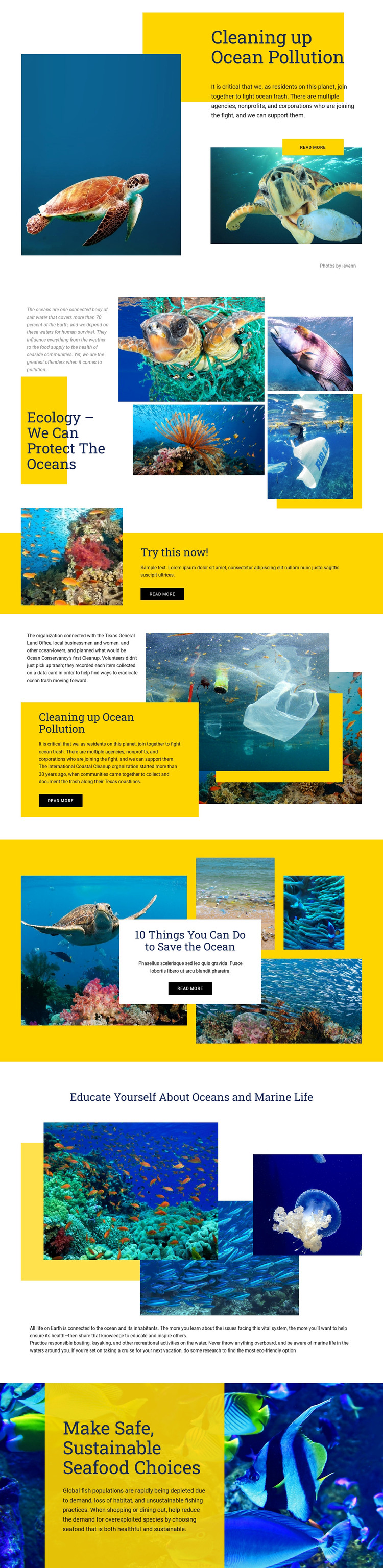
The page divides its message into several durable content areas that can be interpreted naturally in a WordPress-managed environment. The pollution introduction and ecology gallery provide page-oriented environmental explanation, while the coastal cleanup section offers a focused subject around participation and the International Coastal Cleanup. The marine-life education block and the sustainable seafood section add separate informational directions, so the design can support more than one kind of conservation content without losing its visual character.
The repeated relationship between heading, image, explanatory copy, and Read More button is useful for content that may be expanded or refreshed over time. Underwater photography can illustrate the subject, while the yellow panels identify priority messages such as “Try this now!” and practical protective actions. The design also discusses responsible boating, kayaking, and eco-friendly cruise options, creating additional editorial angles that can sit alongside the confirmed page content. A WordPress project could preserve this visual system while organizing permanent conservation information and future articles around the same categories; however, the analysis does not verify existing Posts, categories, or a blog structure, so those should be treated as possible content interpretations rather than present template elements. The theme’s value lies in its clear subject areas and reusable visual relationships, not in an unsupported claim about a prebuilt CMS content model.
Customize with Nicepage
Open this ready-made template in the WordPress Website Builder and customize it visually in the Nicepage editor. Replace demo content, edit page sections, and adapt the design to your project without rebuilding the template from scratch.
Manage and Edit This Theme in WordPress
Customize and Install the WordPress Theme
Start with this ready-made theme instead of building the WordPress design from scratch. Customize its layout, content, typography, images, sections, and other design elements visually in Nicepage editor, then export and install the WordPress Theme, Plugin, and Pages on your WordPress site. The Nicepage WordPress Plugin lets you continue working with the site after installation.
Edit the Theme Directly in WordPress
After installation, you can edit the WordPress Theme directly in WordPress with the Nicepage WordPress Plugin. Use Site Style to customize site Colors, Fonts, Header, Footer, Blog, and Post Page Templates while working within your WordPress website.
Edit WordPress Pages Visually
Use the Nicepage WordPress Plugin to edit page content directly from the WordPress admin area. Open a WordPress Page with Nicepage and visually change its text, images, sections, and other page elements while continuing to manage the Page through WordPress.
WordPress Content and Theme Integration
Use the customized theme with WordPress Pages, Posts, Blog and Post Templates, menus, widgets, and other CMS-managed content. Shared theme elements such as Colors, Fonts, Header, Footer, Blog, and Post Page Templates can be managed as part of the overall site design, while WordPress provides the CMS environment for managing site content.
This workflow combines a ready-made WordPress Theme with visual customization, direct theme editing in WordPress, and continued content management through the Nicepage WordPress Plugin.





















