Raising dogs WordPress Theme



Edit Template Offline
2. Create new page and search for id 583295
Edit Template Online
Create Awesome Websites


Free Nicepage Builder
Keywords
Service cards and editorial content can share one WordPress visual system
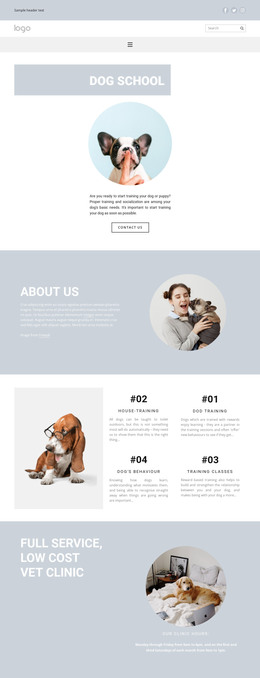
The page contains several permanent content areas that can be interpreted naturally in a WordPress-managed project. The Dog School introduction and About Us block provide page-oriented information, while the four training cards divide recurring service content into house-training, dog training, dog behavior, and training classes. Their shared layout makes the services feel related, but each card can still represent a distinct content focus when the project develops fuller explanations.
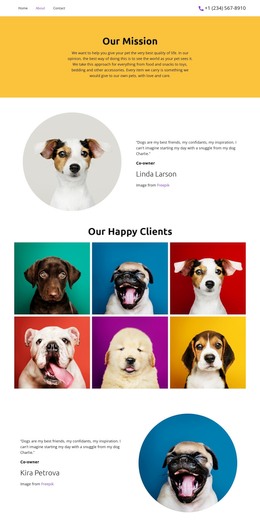
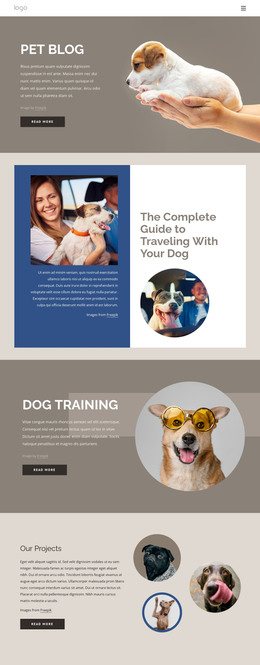
The veterinary clinic section contributes another stable page area through its heading, circular image, and clinic hours. In contrast, the editorial feature combines a byline, article-style text, portrait imagery, and a supporting circular image, making it the most natural place to consider regularly updated informational content without asserting that posts already exist. The second Dog School block reinforces the main service identity, and the final consultation region gathers response-oriented page content through its heading, telephone contact, location details, and image. Header navigation, search, social links, mobile navigation, and the dark footer provide shared site elements that can keep these areas visually connected. A WordPress theme interpretation is therefore strongest when it treats training and clinic information as lasting page content while allowing editorial material to develop separately within the same visual direction. The design's value lies in this relationship between stable service areas and potentially expandable content, not in a CMS feature claim about elements that were not verified.
Customize with Nicepage
Open this ready-made template in the WordPress Website Builder and customize it visually in the Nicepage editor. Replace demo content, edit page sections, and adapt the design to your project without rebuilding the template from scratch.
Manage and Edit This Theme in WordPress
Customize and Install the WordPress Theme
Start with this ready-made theme instead of building the WordPress design from scratch. Customize its layout, content, typography, images, sections, and other design elements visually in Nicepage editor, then export and install the WordPress Theme, Plugin, and Pages on your WordPress site. The Nicepage WordPress Plugin lets you continue working with the site after installation.
Edit the Theme Directly in WordPress
After installation, you can edit the WordPress Theme directly in WordPress with the Nicepage WordPress Plugin. Use Site Style to customize site Colors, Fonts, Header, Footer, Blog, and Post Page Templates while working within your WordPress website.
Edit WordPress Pages Visually
Use the Nicepage WordPress Plugin to edit page content directly from the WordPress admin area. Open a WordPress Page with Nicepage and visually change its text, images, sections, and other page elements while continuing to manage the Page through WordPress.
WordPress Content and Theme Integration
Use the customized theme with WordPress Pages, Posts, Blog and Post Templates, menus, widgets, and other CMS-managed content. Shared theme elements such as Colors, Fonts, Header, Footer, Blog, and Post Page Templates can be managed as part of the overall site design, while WordPress provides the CMS environment for managing site content.
This workflow combines a ready-made WordPress Theme with visual customization, direct theme editing in WordPress, and continued content management through the Nicepage WordPress Plugin.