

Hunting Website Templates
First-time guests need to know whether a guided outing includes lodging, transport, and permit assistance before requesting dates. Hunting website templates organize those conditions across trip pages, preparation guidance, and an outfitter contact route.


More Website Templates from Pets & Animals Category

Other Pets & Animals Website Templates
Professional Hunting Website Templates for Outfitters, Clubs, and Outdoor Businesses
Hunting website templates give an outfitter, club, or lodge a finished design so that you can focus on your own trips and photos. A guide running an upland bird outing and a longer deer expedition needs each trip to stand on its own, with dates, group size, and what the price covers. The real test is how a layout handles that once the demo pictures are gone.
Layouts Worth Testing in a Demo
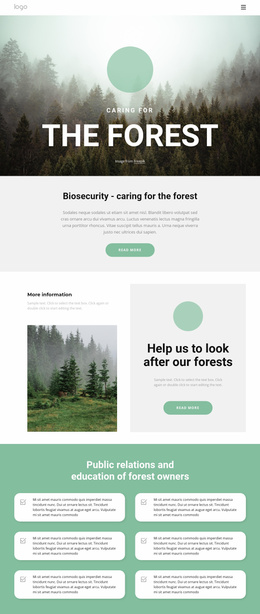
A misty forest at dawn flatters almost any layout, so run a few practical checks:
- See which inner layouts come with the design, since a lone homepage leaves you building the About, Contact, and trip pages yourself.
- Load the trip cards with real names, because outfitters often sell almost identical hunts like early and late season whitetail, and each card needs room for dates.
- Decide whether one scrolling page is enough. A solo guide with two trips can fit everything there, but an outfitter covering several regions needs separate trip pages and a menu.
- Check how easily photos, headings, and colors change without rebuilding a section.
Placeholder text hides problems, so paste in three packages with long titles and see if the cards stay aligned.
Clubs, Lodges, and Gear Stores
Other hunting businesses ask different things of a design. A club leads with membership details and an events calendar, and its gallery fills with banquet and youth hunt photos. A lodge sells the stay as much as the hunt, so cabin photos, an amenities block, and a location map matter more than wildlife shots. A gear store needs product cards with room for a model name, a price, and a short spec line. Taking payments is a separate setup tied to how you publish. Hunter education instructors can reuse one card layout for every class.
Room for Guest Questions
Hunters ask about arrival times, gear lists, and who handles the license, and long answers can swamp a trip page. Use the FAQ Element to fold them into expandable questions with Rich Text inside, while license rules and safety notes stay visible on the main page.
With the Contact Form Element, an easy-to-spot inquiry button and a form that asks for the trip, party size, and dates tell the guide which hunt the visitor means. A submitted form is still only an inquiry, so list a phone number as well.
Then open the demo on a phone, where many hunters plan trips. If the trip card, gallery, and inquiry button work there without pinching the screen, the design is a dependable base for your hunting website.