

Carousel HTML Templates
Product showcases, portfolio galleries, and customer testimonials often require several slides within one compact section. These carousel HTML templates provide structured layouts with navigation controls and responsive content arrangements for integration into website projects.





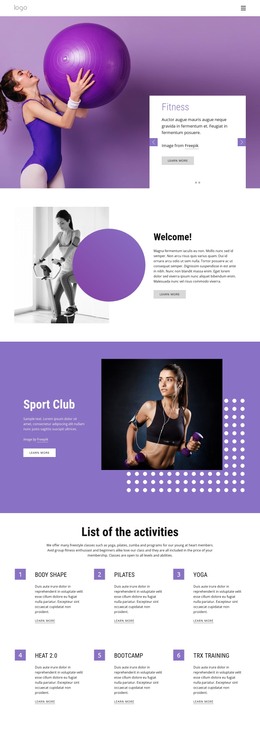














































More HTML Templates from Full Width Slider Category
Other Full Width Slider HTML Templates
Responsive Carousel HTML Templates
Adding a carousel to an existing HTML website is easier when the template already organizes slide content, images, and controls into a reusable section. Carousel HTML templates can support a product showcase, a portfolio preview, or customer testimonials without requiring every element to be marked up from scratch. Choose the layout for the content you actually need, then check how it fits the surrounding page.
Choose an HTML Carousel Layout That Fits the Content
A product carousel usually needs repeatable cards with an image, name, price or short description, and a link to the detail page. In the HTML, those fields should follow a consistent structure within each slide so another product can be added without reorganizing the section. A testimonial carousel has different priorities: a quotation, reviewer name, and client details should remain grouped in one slide container, even when reviews vary in length. A portfolio carousel might instead pair a project image with a concise description and a link to the complete work.
Before adapting a ready-made HTML template, review these practical details:
- Reusable HTML structure: Are slide items consistently marked up so you can replace images, text, and links without rebuilding the carousel?
- Image and caption structure: Are images, headings, captions, and links grouped within the correct slide?
- Navigation: Are arrows or indicators included, and does the supplied implementation make them functional?
- Responsive arrangement: Do cards and controls remain readable when the viewport narrows?
- Markup consistency: Can another product or review be added without restructuring unrelated HTML?
Preview a layout with realistic content, not identical placeholder slides. Product names may wrap onto two lines, while a longer customer quote may need more vertical space than a short endorsement.
Fit the Carousel Into an Existing HTML Page
Once the content structure is suitable, inspect the outer carousel container and its relationship to nearby sections. Headings and links should remain in a logical order, and the carousel’s classes should not unexpectedly change the rest of the site. When replacing sample content, check that each image, caption, and link stays within its intended slide element. HTML provides the structure; the finished interaction may also depend on CSS and JavaScript.
You can use Carousel Elements for images, repeated items, posts, and products. In a supported Nicepage website project, these options help assemble different carousel sections without implying that each design is an independent, drop-in component.
If you export a complete HTML website, keep its linked stylesheets, scripts, and image assets together. Check relative paths when changing folders, but treat that as a final integration check rather than the main criterion for choosing the design.
Before publishing, confirm that each slide displays the correct item, the controls work with mouse and keyboard, and the layout remains usable on a phone. A good carousel HTML template combines content-ready markup with navigation and responsive presentation that suit the website's purpose.