High quality steel price HTML Template


A finished steel product section for static HTML placement
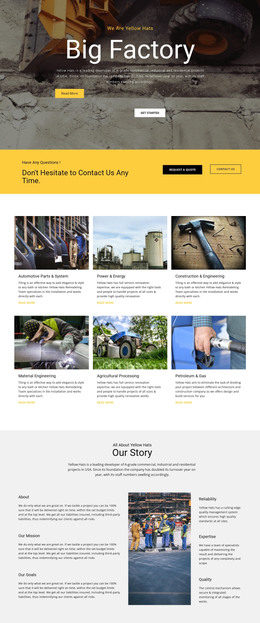
The hero and card row already organize one complete content purpose: introducing steel products and directing attention toward three named categories. “High quality steel” provides the main entry point, while the supporting copy refers to high quality materials, expert design, and a state-of-the-art manufacturing facility. The “view more” action gives the introductory message a clear continuation point without requiring the section to carry every product detail.
Below that message, three white-framed image cards overlap the lower edge of the dark industrial hero. “Ircraft Tubing,” “4130 Sheets,” and “Bars-Square” appear as parallel product cues, making the section easy to scan when placed among other static HTML content. The worker image and right-side text establish the industrial context, while the cards create a compact category layer that can lead toward more detailed sections elsewhere in the containing page or site.
As a ready-made static section, this block can preserve its existing hierarchy while the surrounding HTML page provides navigation, additional content, and other page-level areas. Its usefulness comes from the finished relationship between the hero introduction, the continuation action, and the three overlapping product categories, not from treating one block as a complete website.
Customize with Nicepage
Open this ready-made template in the HTML Builder and customize it visually in the Nicepage editor. Replace demo content, edit page sections, and adapt the design to your project without rebuilding the template from scratch.
Edit Template Offline
2. Create a new page or select existing
3. Click Add new block, search for id 52503 and click enter
Edit Template Online
Create Awesome Websites


Free Nicepage Builder
Keywords
Use This Block in a Static HTML Page
Start With a Ready-Made Section
A block provides one prepared content area that can be combined with other sections to build a static HTML page. Customize its text, images, spacing, colors, and other elements in the Nicepage editor while keeping the block focused on its own purpose, such as services, testimonials, pricing, contact information, or visual presentation.
Export the Containing HTML Project
When the page or website that contains the block is ready, use HTML Export to create the files required for a static HTML project. The export applies to the containing page/site rather than turning one individual block into a complete website by itself.
Reuse the Section Within the Project
The same block design can be adapted as one content section within a larger static site. Other Blocks can provide navigation, introductions, portfolios, forms, footers, and additional page content while this section keeps its own verified content and layout role.
This workflow makes the block useful as a ready-made section inside a static HTML implementation, with export and deployment handled at the page or website level.