
270+ Counter Website Templates
Important figures deserve a defined place among a website's content sections. Counter blocks bring totals, achievements, and milestones into compact numerical groups, with layouts that can be adapted to match neighboring content in the Nicepage editor.



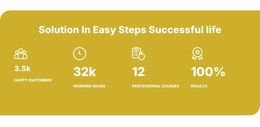








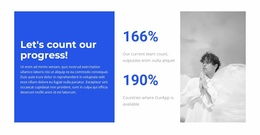



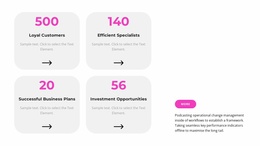
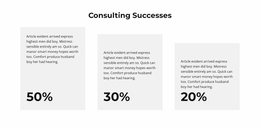















































Other Counter Website Templates
Counter Website Templates for Statistics Within Complete Page Layouts
Counter Website Templates help you evaluate how a ready-made website page can accommodate a statistics section. A Counter might support the Hero, follow Services, appear in About, or introduce selected Portfolio results. The important choice is a website layout whose existing content gives those figures a meaningful role—not simply a block with the right number of columns.
How to Choose a Website Template with a Counter Section
Look at the whole page before deciding whether its Counter area is useful. Does the page have a suitable statistics section? Does that section match the site's purpose? Can you replace its demo values with measurements the business actually has? A Counter is a content block within the website, not a complete multi-page site on its own.
A practical review can start with three kinds of pages:
- Corporate or agency website: Team experience, completed client projects, or other substantiated totals can sit near About or Services content.
- Nonprofit impact website: Verified reach or participation figures belong alongside the mission and related project reporting.
- Portfolio website: Completed-work totals may introduce a gallery, without taking attention away from the examples themselves.
These examples describe different site purposes for detailed measurements that cannot fit a concise highlight; use a separate data presentation section.
Understand the Counter's Role in a Page
Consider a prepared agency page organized as Hero → Services → Counter → Portfolio → Contact. Services explains the work; the statistics summarize relevant experience; Portfolio supplies examples. The Counter earns its place by adding measurable information, not by repeating a slogan in larger type.
A nonprofit layout might call for a different arrangement and different measurements. The point is to evaluate the page's existing content before deciding what the Counter should report, rather than copy the same numbers into every site template.
Nicepage's Counter Element can display configured totals with optional counting animation. Those totals need descriptive labels and accurate source information; the feature does not retrieve live organization data automatically.
Integrate the Section into a Prepared Website
Use the Nicepage editor to add or adjust the Counter in the selected page. The guide to adding Pages, Blocks, and Elements describes the section workflow. Keep the editing focused on the page: verify the surrounding headings, make sure the statistics add new information, and check that the page's visual style remains consistent.
If the prepared page already repeats the same achievement in a headline, paragraph, and numerical section, consider simplifying the copy. Add extra counters only when they improve what readers learn.
For alternative section treatments, counter design examples are available; choosing between those standalone blocks is not the central task of selecting a website layout.
Plan for Accurate Figures After Publication
Project totals, participation numbers, and years in operation may change. Assign responsibility for checking these values so the website doesn't keep displaying outdated claims. A good website template lets the statistics sit naturally among the site's other information, but the publisher remains responsible for their accuracy.
Expert Tip: When evaluating a candidate website page, temporarily ignore the Counter animation. Ask whether the surrounding content makes the figures meaningful and whether the page still has a clear purpose.
Counter Website Templates FAQ
Should a website template already contain a Counter section?
It can make integration easier, but the section must suit the site's content and leave room for verified figures.
Where might counters appear on an agency website?
Near About or Services content, where proven experience or delivered-project totals help explain the business.
Can a Counter support a portfolio page?
Yes. It can summarize relevant work before a gallery, while project images and descriptions remain the primary examples.
Does a Counter website category supply an entire multi-page site?
In this collection, the Counter is a reusable statistics section intended for use within a larger website layout.
Choose a Website Layout Where Statistics Belong
Review the complete website page, select one whose content can benefit from verified figures, and confirm the Counter works alongside the site's main sections. The goal is a coherent website, not an isolated numerical preset.