Our percent counter Website Template


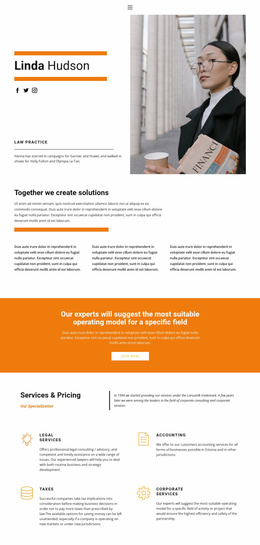
A Portrait-Led Statistics Section for a Broader Site Structure
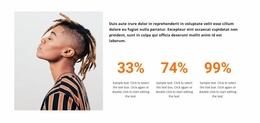
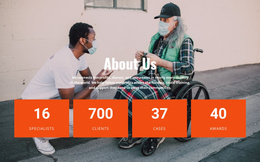
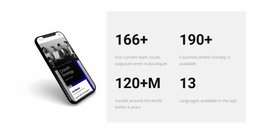
The block provides one stable content area for a broader website project: a visual introduction paired with compact performance information. Its left portrait gives the section a human focal point, while the right column explains the subject and then presents three related percentage items. Because the counters share a common value-and-description structure, the section can be reused as a coherent statistics pattern rather than rebuilt as separate pieces each time similar information is needed.
The horizontal row keeps the metrics connected, while the paragraph supplies context before visitors read the figures. The displayed sample values are structural examples; a finished project can replace them with appropriate figures and labels without changing the block’s internal relationship. The white background and restrained dark-and-orange treatment also give the section enough visual identity to coordinate with neighboring blocks that use related spacing, typography, or accent colors.
Within a wider website template, this block could support a mid-page results, performance, or proof area while other sections handle introductions, services, detailed explanations, or contact content. It remains one reusable section, not a complete site structure. Its value comes from the combination of image-led recognition and repeated metrics: the portrait prevents the data from feeling detached, and the three-item row keeps the information concise enough to sit naturally between larger content areas.
Customize with Nicepage
Open this ready-made template in the Website Template Builder and customize it visually in the Nicepage editor. Replace demo content, edit page sections, and adapt the design to your project without rebuilding the template from scratch.
Edit Template Offline
2. Create a new page or select existing
3. Click Add new block, search for id 2283758 and click enter
Edit Template Online
Create Awesome Websites


Free Nicepage Builder
Keywords
Use This Block in a Broader Website Template Project
Treat the Block as One Reusable Site Section
A website project is assembled from multiple pages and sections. The analyzed block provides one reusable content area—such as services, About, testimonials, pricing, gallery, team, or contact—while the rest of the site supplies other page-level functions.
Coordinate the Section With Other Pages
Use the Pages panel to manage the pages of the broader project. The block can remain one consistent section pattern while related pages add deeper information or different content without implying that the Block ID itself contains those pages.
Expand With Matching Designs
When additional pages or sections are needed, Page Design Sets can help locate matching Page and Block Designs. This can extend the visual direction around the existing block while keeping the site's other content areas separate.
This workflow treats the block as a reusable building unit inside a larger Website Template project, not as a complete website foundation on its own.