Meet our partners Website Template


A Five-Logo Brands Section Can Recur Across a Website Project
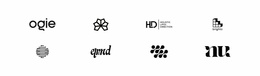
The block defines one stable content area for partner recognition: the centered “Information partners” heading and supporting paragraph introduce the subject, while five logo images occupy evenly spaced cells in a single horizontal row. The white panel gives the group a self-contained visual boundary, and the pale blue cityscape supplies a contextual backdrop. Together, these details make the section understandable as a reusable brands or partnership area rather than an assortment of unrelated images.
Within a broader website project, the same pattern could support a business introduction, a services page, a project overview, or another location where associations need to be acknowledged. Other sections can handle company information, offerings, testimonials, contact details, or deeper case studies, while this block remains focused on the partner group. Its static presentation makes the content immediately visible and avoids requiring a separate interaction model for a relatively small collection of marks.
The restrained colors and generous spacing also give the section room to coordinate with different neighboring layouts. A project can adapt the text and logo assets while preserving the relationship between the cityscape frame, white panel, centered introduction, and five-item row. That makes the block a practical reusable section inside a larger website template or page system, without making the section itself responsible for the project’s wider architecture.
Customize with Nicepage
Open this ready-made template in the Website Template Builder and customize it visually in the Nicepage editor. Replace demo content, edit page sections, and adapt the design to your project without rebuilding the template from scratch.
Edit Template Offline
2. Create a new page or select existing
3. Click Add new block, search for id 83939 and click enter
Edit Template Online
Create Awesome Websites


Free Nicepage Builder
Keywords
Use This Block in a Broader Website Template Project
Treat the Block as One Reusable Site Section
A website project is assembled from multiple pages and sections. The analyzed block provides one reusable content area—such as services, About, testimonials, pricing, gallery, team, or contact—while the rest of the site supplies other page-level functions.
Coordinate the Section With Other Pages
Use the Pages panel to manage the pages of the broader project. The block can remain one consistent section pattern while related pages add deeper information or different content without implying that the Block ID itself contains those pages.
Expand With Matching Designs
When additional pages or sections are needed, Page Design Sets can help locate matching Page and Block Designs. This can extend the visual direction around the existing block while keeping the site's other content areas separate.
This workflow treats the block as a reusable building unit inside a larger Website Template project, not as a complete website foundation on its own.