
Icon Website Templates
Businesses with icon-led interfaces need more than isolated blocks: navigation, service pages, feature sections, and contact forms must work as one site. These templates provide a complete page set with recurring visual cues.















Other Brands Website Templates
Modern Icon Website Templates for Multi-Page Business Sites
Icon website templates give a business a finished site where icons already have a job on each page. The fuller designs in this category come as multi-page layouts. A homepage introduces the offer with service or feature icons. The Services, About, and Contact pages then carry those symbols deeper into the site. Customizing usually starts with your logo and brand colors. After that come the icons, text, and images, which change to fit what the company sells. The layouts are responsive, so icon rows stay readable on phones too.
Where Each Page Puts Its Icons
Across a typical set of pages, the icons take on different jobs:
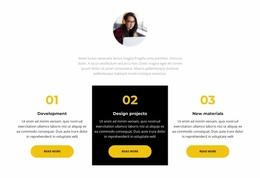
- the homepage uses service or feature icons to show what the company offers at a glance;
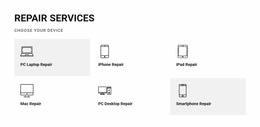
- the Services page repeats those symbols beside detailed descriptions, so visitors recognize the offer they clicked;
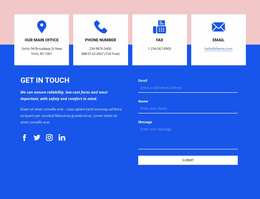
- the Contact page places phone, email, and location icons next to the actual details;
- the shared footer carries social icons, which then appear across the site without extra work.
Icons earn their place when they repeat. Once you set up a booking calendar on the homepage, it should appear wherever booking appears again, from the menu to the Contact page. The mix of icons also shifts with the business. A software product leans on feature and benefit icons. Consulting firms use them to mark service categories and process steps. In a business directory, category icons usually go up front so people can jump straight to the right listings.
Navigation That Follows Visitors Everywhere
The menu travels with visitors to every page, so they see its icons more than any others. Nicepage documentation for Navigation Menu Icons covers icons in Horizontal Menu, Menu with Submenu, and Mega Menu layouts. A shop, account, or contact item gets a quick visual cue, while the label keeps the destination explicit. In a mega menu, small icons help people scan the category columns, and the words beside them still carry the meaning.
Comparing Designs With Your Company's Needs
Before settling on a design, hold its pages up against your plan. Count the inner pages you need and check whether the layout has room for a Services or category section. Look at the Contact page too, since a company with several offices needs more than one phone row. Nicepage's Dashboard keeps a project's pages together, which helps when you add a new service page later. The template worth keeping is a full website whose icon sections already sit on the pages your business needs, so the remaining work is mostly content.