
Report Html Code Examples
-

-

-
-
-
-
-
-
-
-
Customize Any TemplateDownload
-
-









More Website & HTML Templates for Report
















More Html Code Examples from Business & Law Category















































Other Business & Law Html Code Examples
Clean Report HTML Code for Full Structure Control
What makes report HTML code by Nicepage a viable option for designing report pages? It allows you to have pre-made, clean HTML code that you can easily customize without the need for coding expertise. This is important because, as research indicates, more than 90% of existing websites use HTML as their foundation, and proper HTML coding has the potential to improve usability by up to 40%.
The beauty of using Nicepage, therefore, lies in the fact that you will have a responsive design, which means your reports will look good. This is regardless of whether you are viewing them on a mobile device or a computer, as more than half of internet traffic comes from mobile devices.
This is helpful for developers, marketers, analysts, and business owners of small businesses who require presenting their data in a clean way without spending too much time coding manually.
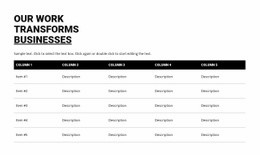
For instance, you can build a sales report page, project summary, or analytics overview with a clean structure, tables, and highlighted values. This is quite helpful for internal dashboards, client presentations, and even public report pages where ease of understanding is critical. In other words, the Nicepage report HTML code helps generate professional-looking reports quickly without compromising ease of management.
Advantages of Analytic Code with Information Hierarchy
The focus here is on readable structure. Arranged sections can guide readers through data and conclusions in a consistent order.
Key benefits include:
- Clean and readable HTML markup
- Logical separation of report sections
- Easy customization of content blocks
- Lightweight pages with fast loading
- Responsive-ready structure
Flexible Markup for Lightweight Reports
Reports are updated regularly. The code makes it easy to revise figures and add new sections. After all, here you have complete control over customization so that you can reorganize content with ease. You’re welcome to adjust visuals, rearrange sections, and change spacing. The structure remains stable as the content volume increases.
Build a Documentation Page Now
HTML-based summary pages feel transparent. They are easy to follow and present information clearly, so that visitors focus on insights rather than layout.
On Nicepage, you can find a very diverse selection of report HTML code examples. They might differ in nature and aesthetics, but all of them look great and remain multifunctional. Go with one that fits your reporting needs, and customize it freely. Start adapting it now and create outstanding reports presented in an eye-catching manner.