Text, button and social icons Html Code Example


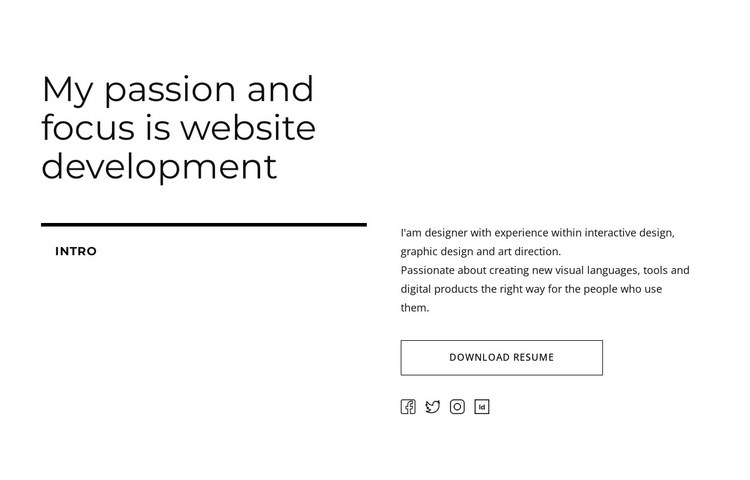
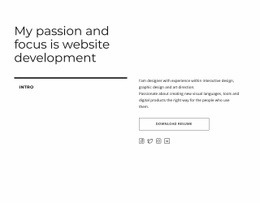
The resume action leaves a clear region for focused extensions
The large heading and split lower layout already establish the section’s main communication: a professional focus is introduced first, then explained through supporting text. The left-side intro label acts as a visual marker, while the right side carries the paragraph, the outlined “Download resume” button, and four social profile links. These distinct regions give the content a clear order without adding interaction; the block is static and relies on typography, spacing, and alignment to guide attention.
For an HTML Code use case, the existing content areas provide logical boundaries for optional project-specific additions. A custom element could sit near the resume action if the surrounding project later needs a related document viewer, download-tracking treatment, or another external function. It could also be positioned beside the social-link area when a project requires an integration that belongs with professional profile destinations. Such an extension would work around the text-and-action structure rather than replacing the heading or changing the section’s purpose.
The white background, black text, thin rules, and outlined button should remain the visual base while any added code is fitted into the same restrained composition. Nicepage’s HTML Element can provide a controlled place for custom content, but the useful starting point here is the block’s existing separation between introduction, description, resume action, and social links.
Customize with Nicepage
Open this ready-made template in the HTML Code Generator and customize it visually in the Nicepage editor. Replace demo content, edit page sections, and adapt the design to your project without rebuilding the template from scratch.
Edit Template Offline
2. Create a new page or select existing
3. Click Add new block, search for id 3022521 and click enter
Edit Template Online
Create Awesome Websites


Free Nicepage Builder
Keywords
Extend This Page With Custom HTML Code
Insert Code With the HTML Element
Use the HTML Element to add custom code directly to a Block in the Nicepage editor. Enter the required markup in the Code field when the page needs content or functionality that is not available through the standard page elements.
Place the HTML Element in the Layout
Treat the HTML Element as part of the visual page composition. Adjust its position, width, height, alignment, and margins to place the custom content where it belongs alongside text, images, buttons, and other elements. This makes it possible to combine visually edited sections with project-specific code without separating the custom element from the rest of the layout.
Add HTML, CSS, JavaScript, and External Components
The HTML Element supports HTML, CSS, and JavaScript, allowing you to extend the page with custom markup and interactive functionality. It can also be used to embed custom code and third-party components, such as social feeds, advertising code, widgets, or other external functionality required by the project.
This workflow makes the template useful for projects that need a visual page editor together with custom HTML code, JavaScript, embedded components, and functionality beyond the standard page elements.

Design Set (17)















More from Text & Button Blocks
-
-

-
-
-
-
-
-
-
-
-
Customize Any TemplateDownload
-
-
-
-
-
-
-
-
-
-