
100+ Pricing Website Designs
Good pricing design makes plan differences clear before visitors read every detail. These section layouts help you arrange prices, benefits, and actions with consistent card proportions, purposeful typography, and visual emphasis that fit the surrounding page.

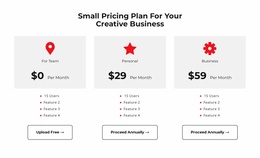
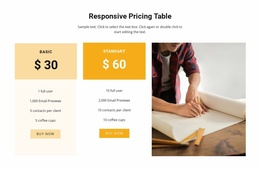
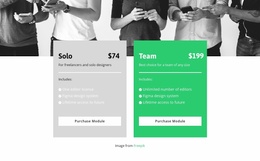
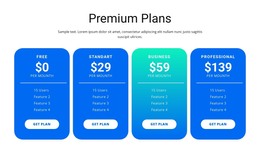
Other Pricing Website Designs
Creative Pricing Website Design for Card Hierarchy and Visual Balance
Pricing Website Design is about how visual choices shape a visitor's judgment of competing offers. Featured cards, comparison grids, price typography, and mobile stacking can either reveal differences or conceal important conditions. The priority is visual hierarchy that supports a fair, readable comparison.
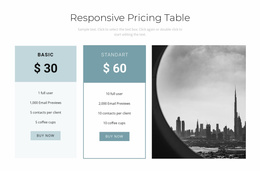
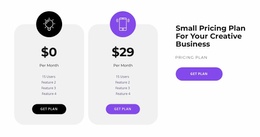
The design should establish a recognizable hierarchy between the plan name, price, benefits, and next action. Whether the section contains two subscription tiers or several service packages, each offer needs a consistent visual structure that fits the surrounding page design.
Choose Visual Patterns That Make Pricing Differences Visible
Pricing Website Design focuses on making the finished comparison work within the site’s colors, typography, spacing, and overall composition—not on collecting client approvals for draft mockups. A featured plan, a comparison grid, and a billing-period control each draw attention in different ways.
Compare card hierarchy, typography, contrast, visual priority, and the rhythm between plan cards when selecting a design direction. Judge the whole composition before optimizing individual styling details or requesting mockup approval.
Compare the visual priority, spacing rhythm, and contrast between plans before settling on the composition; this is an evaluation of the whole section, not a CSS implementation checklist. Suppose two plans offer distinct levels of support. Equal-weight cards give both choices similar attention; one restrained accent card recommends the better-fit offer without changing the facts; a compact comparison grid helps when the differences are numerous. Several recognizable design patterns are useful:
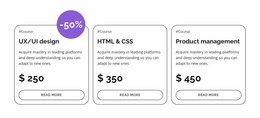
- Featured plan: one card gains a restrained border, background, or badge while retaining comparable content.
- Comparison grid: repeated rows align feature names so tier differences can be scanned across offers.
- Contrast hierarchy: the price is visually prominent, but billing intervals and important limitations remain legible.
- Billing-toggle presentation: monthly and yearly options can be clearly labeled in the design; an actual working toggle requires separately implemented behavior.
- Responsive stacking: each plan retains its title, price, conditions, and next action when columns become vertical cards.
For example, the same two offers can read differently if the recommended card gets a muted accent border or its price is slightly enlarged: attention shifts without changing either tier’s content. If one tier is billed annually and another monthly, keep the periods close to their amounts; if a plan has a setup fee, it must not disappear under a large recurring price. A billing-toggle design needs clearly visible selected periods and accurate associated values. Price anchoring can help readers compare premium and entry offers, but it must not misrepresent costs. Visual priority can also work against the comparison. An oversized middle card may conceal a cheaper plan; a bright CTA may distract from a renewal condition; inconsistent card heights may make one tier look more valuable than its features justify. Judge the composition by whether it makes the real offer differences easier to recognize.
Clean Pricing Cards and Table Design
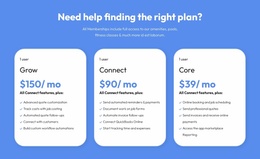
Pricing cards offer a compact way to present individual plans. Each card typically groups a title, price, short description, included features, and a selection action within a defined visual area.
For more detailed comparisons, the Table Element in Nicepage supports pricing-table layouts with adjustable rows and columns. Its styling options allow the structure to be adapted to the section's visual direction.
Different arrangements suit different content:
- Side-by-side cards work when each plan needs a concise summary.
- Comparison tables suit offers with many shared features or conditions.
- Accent backgrounds or borders can distinguish a recommended tier.
- Aligned selection buttons help create a consistent visual rhythm.
Unlike a general Table section, Pricing places cost, included benefits, and plan selection at the center of its visual hierarchy.
Balance Typography, Color, and Responsive Layouts
Pricing information often competes for attention: large amounts, feature labels, promotional badges, and prominent buttons can all become visually dominant.
Evaluate the relative contrast and hierarchy of price, feature list, and CTA as a single visual system, rather than considering each element’s color or spacing in isolation.
A restrained hierarchy helps visitors understand what matters first. Prices can receive stronger typographic emphasis, while billing details remain smaller but readable. Accent colors help distinguish a plan, as long as they don't reduce text contrast.
Nicepage Responsive Modes support reviewing and adjusting layouts for different screen sizes, including changes to element properties such as font size and margins.
When pricing cards stack on smaller screens, the association between each price, its features, and its selection button must remain clear. Desktop proportions should not be preserved at the expense of mobile readability.
Keep Pricing Design Consistent With the Page
A pricing block should feel connected to the page without losing its distinct comparison function. Repeated typography, button treatments, and spacing patterns can create continuity with surrounding sections.
Judge how the balance of plan cards, the placement of visual emphasis, and the typography relate to the wider page. This is a composition decision, not a procedure for inserting a ready-made block.
Consider where the visual emphasis belongs. A two-plan comparison may need nearly equal card weight, while a three-tier arrangement can give one option additional prominence when there is a meaningful reason to recommend it.
A Features section may use similar cards, but its primary purpose is explaining benefits. Pricing design adds financial comparison and decision-making, which changes how amounts, inclusions, and actions should be prioritized.
Pricing Website Design FAQ
Can I use Nicepage AI to create a pricing section design?
Yes. Nicepage AI Services can generate sites, pages, and blocks. You can refine a generated pricing block by adjusting plan names, prices, feature descriptions, and the visual arrangement of its elements.
How can I make one pricing plan stand out?
Use a controlled visual difference, such as an accent border, background color, or featured label. Keep the main content hierarchy consistent so visitors can still compare the highlighted plan with other available options.
Can I adjust pricing sections for mobile screens?
Yes. Nicepage provides Responsive Modes for editing layouts and element properties across different screen sizes. Review how pricing cards stack and adjust typography, margins, and spacing to maintain readable plan information.
Are pricing cards better than comparison tables?
Pricing cards work well for a small number of offers with concise descriptions. Comparison tables work better when visitors need to compare many shared features or conditions. The better design depends on how much information the pricing section needs to communicate.
Can I mix different visual styles within a pricing section?
Yes, but keep typography, spacing, and button treatments consistent across plans. Use contrasting colors or decorative accents selectively so visual differences support the comparison instead of making each card feel unrelated.
Design a Clear Pricing Section With Nicepage
Start with a pricing block that matches the number of offers and the amount of information visitors need to compare. Refine card spacing, price typography, feature alignment, and selection buttons in the Nicepage editor, then review the arrangement across screen sizes.
Choose a coherent visual direction for the entire pricing section—the one that makes actual plan differences easiest to see—then refine its execution.
The finished section should make plan costs, included value, and the next action visually connected, while maintaining a consistent relationship with the surrounding page design.