
270+ Counter Html Code Examples
Use a ready-made Counter design alongside a Nicepage HTML Element when a page needs a separate third-party widget or project-specific component. This is not a catalog of copy-and-paste counter scripts.





























































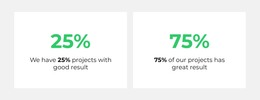







Other Counter Html Code Examples
Counter HTML Code Designs for Custom Numerical Components
Counter HTML Code combines ready-made Nicepage Counter sections with options for independently supplied code. The collection is not a library of finished copy-and-paste counting scripts. It provides a visual starting point when a project needs to add an external reporting component, customize numeric behavior, or integrate a separate data source.
What Can a Basic Counter Contain?
At its simplest, a manually developed Counter display consists of a numerical value and a descriptive label inside an appropriate page section. For example, a visible “250” paired with “Completed Projects” communicates one measurement. A plain HTML representation can show that information, but HTML alone does not create an animated count or retrieve updated values.
If the requirement is just a fixed, animated achievement total, Nicepage's native Counter Element provides a configured display and its own counting effect. Additional code is needed when the project requires behavior beyond that built-in role.
When Custom HTML or JavaScript Is Useful
The main technical scenarios are different from simply selecting a ready-made layout:
- External data: A separate component retrieves values from a reporting service or another source, subject to its own implementation and permissions.
- Unusual formatting: Custom behavior may be needed for a specialized numerical representation not supported by the native controls.
- Distinct interactions: A project-specific widget may react to user actions or display a richer statistical breakdown.
- Additional animation logic: A custom counter implementation can use its own scripts, rather than assuming the native Counter will adopt them.
These examples describe possible custom development, not built-in Nicepage integrations or guaranteed features of a catalog design.
Add a Custom Component with the HTML Element
The Nicepage HTML Element accepts separately supplied HTML, CSS, and JavaScript in its Code field. A company overview might show three native achievement counters alongside an embedded chart reporting monthly activity. The static headline numbers and the external chart can share a section while remaining functionally independent.
Do not assume that a script inside the HTML Element automatically reads, controls, or updates native Counter values. If those components must share data, their interaction needs to be designed, implemented, and tested separately.
Verify the Added Functionality
An external component must be reviewed in Preview and in a published browser environment, because not every script renders fully inside the editor. Check that its source is accessible, its values are supplied correctly, and its layout remains usable at narrower widths.
The counter design examples can help with the native visual portion, but they do not replace technical testing of independently added functionality. Where the information is chronological rather than a numerical total, a timeline section may be a better content choice.
Expert Tip: Decide first whether you need a configured numerical display or an independently functioning component. A standard Counter block solves the first need; an HTML Element gives you a place to implement the second.
Counter HTML Code FAQ
Is custom JavaScript required for the Nicepage Counter animation?
No. The native Counter Element has its own configurable counting effect. Custom scripts are for separately implemented behavior.
Can I insert my own HTML beside a Counter?
Yes. The HTML Element accepts project-specific HTML, CSS, and JavaScript for an additional component.
Where do dynamically updated Counter values come from?
An external data source and retrieval logic must be implemented separately; the native Counter does not automatically fetch live statistics.
Is an embedded widget automatically connected to native Counter values?
No. Any data exchange or coordinated behavior requires separately developed and tested integration.
Extend a Counter Only When the Project Needs It
Use a ready-made section for straightforward numerical highlights. Add independently developed code when the page needs a separate data source, unusual behavior, or an embedded visualization, and validate that functionality in the browser.