Organization of business meetings Website Template


Two Counters Define a Reusable Business Education Section
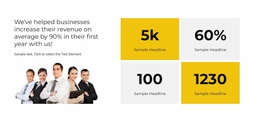
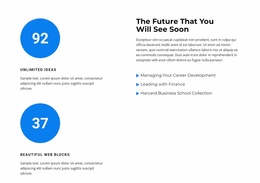
The left column gives the section a repeatable statistics pattern: two counter items are stacked vertically, and each combines a large value with a compact uppercase label and a smaller description. The right column then expands the subject with “The Future That You Will See Soon,” a supporting paragraph, and three topic labels covering career development, finance leadership, and a Harvard Business School collection. Together, these areas form one self-contained information role that can be reused as a business education or professional-development section within a broader website project.
Its visual logic also supports coordination with neighboring sections. Blue circular accents make the counter values immediate focal points, while blue triangular bullets give the topic list a related visual marker. Dark text remains readable against the white background, and the generous space between columns prevents the statistics from competing with the explanatory content. Because the interaction is static, visitors can review both the summary figures and the topic list without relying on a carousel or expanding control.
In a larger website template project, this section can provide a mid-page point of orientation between introductory material and more detailed resources, services, or proof content. The sample numbers and descriptions can be replaced with project-specific material, but the underlying relationship remains stable: concise quantitative highlights on one side, organized educational context on the other. That clear division makes the block useful as a recurring content pattern without implying that it contains the surrounding site structure.
Customize with Nicepage
Open this ready-made template in the Website Template Builder and customize it visually in the Nicepage editor. Replace demo content, edit page sections, and adapt the design to your project without rebuilding the template from scratch.
Edit Template Offline
2. Create a new page or select existing
3. Click Add new block, search for id 2814304 and click enter
Edit Template Online
Create Awesome Websites


Free Nicepage Builder
Keywords
Build a Complete Website From This Template
Customize the Website Visually
Use this ready-made website template as a starting point for your project and adapt its pages visually in Nicepage. Change content, images, typography, navigation, sections, and other design elements while keeping the website together as a single editable project.
Manage Website Pages in One Project
Use the Pages panel to open, add, duplicate, and manage the pages of your website. Work on individual pages while keeping navigation and the overall site structure accessible from the same project, making it easier to develop a complete website instead of managing separate page files.
Expand the Website With Matching Designs
When you need additional pages or sections, use Page Design Sets to find Page and Block Designs created in the same visual style. Design Sets group matching designs together, making it easier to expand the website with new content while maintaining a consistent look across its pages and sections.
Organize Larger Multi-Page Websites
As the website grows, use Page Folders to organize related pages and keep larger multi-page projects easier to navigate in the editor. This is especially useful for websites with separate service pages, company information, contacts, landing pages, and other content areas.
This workflow makes the template a practical foundation for building and expanding a complete website while managing its pages, content, and visual design within one Nicepage project.