
Date Html Code Examples
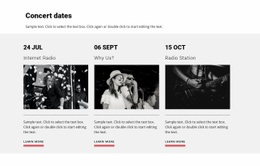
Date markup should explain more than a visible day or number. Clear HTML code can connect dates with times, events, deadlines, and supporting context while keeping repeated records understandable for future development.
-
-

-
-
-
-
-
Customize Any TemplateDownload
-
-
-
-
-
-


















More Website & HTML Templates for Date


















More Html Code Examples from Counter Category










































Other Counter Html Code Examples
Simple Date HTML Code
Date HTML code snippets and examples keep running into one problem: a date must read naturally for visitors while remaining exact for software. HTML solves both with the "time" element, which keeps the visible label and the stored value side by side.
Readable Labels, Exact Values
The visible text can be as friendly as you like, while scripts read the "datetime" attribute. Its date part runs from year to month to day, a "T" separates it from any time, and the value accepts three levels of detail:
datetime="2026-10-18"for a plain date, when only the day matters;datetime="2026-10-18T14:30"for a date plus the hour and minute, like a 2:30 PM workshop;datetime="2026-10-18T14:30-05:00"for the same moment with a zone offset, useful when an online event draws viewers from several regions.
Because label and value are separate, "Sat 18" in a week strip and "Saturday, October 18" in a listing can share one moment. Text that only looks like a date, such as "Oct 18" in a plain paragraph, means nothing to a script until it sits inside a "time" element. When inspecting a date example, check whether its dates already use that element.
Markup Patterns Each Record Follows
A date rarely appears alone, and the surrounding markup should indicate what it belongs to. A typical event record sits in one container, such as an "article" element. Inside, a heading names the event, a "time" element holds the date, and a paragraph gives the venue. Other records pair "time" with different companions:
- a deadline, where the requirement and its instructions share a block with the closing date;
- an appointment, where the date, the time, and a status such as confirmed sit in one record;
- a weekly timetable, where every session repeats one container, so a new session is a copied row with a new "datetime" value.
Even a calendar cell showing only 18 can carry datetime="2026-10-18" behind the number, so scripts know exactly which day it stands for.
Meaning Kept Apart From Appearance
HTML defines the content, while styling controls its appearance. The "time" element gives a string its meaning as a date, and the surrounding markup shows what that date belongs to. A deadline recognized only by its red box loses that meaning once someone restyles the box, so visual treatment never replaces the element.
Solid date HTML code passes three checks: a valid "datetime" value, the right element around it, and one structure for every repeated record. Layout choices and visual states can then change freely, since the markup stores and identifies each date and time.