

Clothing Store HTML5 Templates
Clothing shoppers need accessible garment descriptions, accurate size information, and clear category navigation across devices. An HTML5 template provides a structured foundation for apparel content, with semantic page sections and adaptable layouts that keep essential product information easy to follow.





















































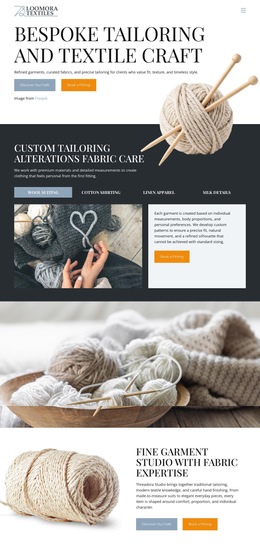





Other Fashion & Beauty HTML5 Templates
Semantic Clothing Store HTML5 Template for Apparel Websites
A clothing store HTML5 template provides a ready-made starting point for displaying apparel categories, product cards, and garment specifications in a structured document. When choosing a layout, retailers should look beyond the preview: the markup needs to keep product names, size information, and collection links understandable even when the visual arrangement changes. Semantic elements express those relationships, but they don't create shopping functionality on their own.
Choose an HTML5 Layout for Apparel Information
For an apparel shop, the template should have room for collection navigation, recognizable product entries, and detailed garment information. A denim store may need a size chart showing waist and inseam measurements; an outerwear collection may need clear material descriptions and care instructions. Examine the specific template to see which sections are prepared and which must be added or edited.
The structure also affects how well those pages adapt to new products. A card layout may shift from several columns to one on a narrow screen, but the garment name should remain connected to its photograph and specifications. CSS controls the visual rearrangement; the HTML document preserves the content's logical order.
Describe Apparel Content with Semantic HTML5
Semantics matter most where a shopper needs to understand what information belongs together. A focused source review can start with five areas:
- Navigation: A
navelement can identify an important set of links to collections or product groups. - Main content: The
mainelement distinguishes central merchandise content from repeated site-wide elements. - Product entries: Where appropriate,
articlecan mark a self-contained garment entry, while titledsectionelements can group related specifications. - Size tables: A real measurement table should use appropriate
thheadings and associations so values can be compared meaningfully. - Input labels: A size-selection control should have an associated
labelrather than relying on placeholder text alone.
These elements make the document easier to interpret, but they don't guarantee accessibility. Product photographs still need appropriate alternative text, and the actual reading and keyboard order must make sense.
Make Size Information Understandable
Imagine a denim product page showing waist and inseam measurements. A table with labeled column headings lets readers and assistive technologies match each number to its measurement. If a shopper chooses a waist size from a form control, a linked label such as “Waist size” makes the input's purpose explicit.
Four content checks complement the semantic markup review:
- Product identification: Can a visitor identify the garment and reach its size or fabric details without guessing where they belong?
- Measurement clarity: Do headings explain each value, including when the chart is viewed on a narrow screen?
- Input accessibility: Are size controls clearly labeled and usable with a keyboard?
- Reading order: When the visual grid changes, does each item remain connected with its description?
Keep Meaning Independent of Visual Arrangement
Responsive styling can change widths, image placement, and spacing without rewriting the underlying information hierarchy. Nicepage's Responsive Modes provide layout adjustments for desktop, tablet, and phone views; they complement rather than replace semantic HTML.
A suitable HTML5 template therefore does two things well: it offers an apparel layout that can be customized for the catalog, and its document structure keeps product details and comparisons meaningful across screen sizes. A useful final check is whether a shopper can still identify an item, find its measurements, and understand the relevant controls when the visual layout changes.