280 Pets & Animals HTML5 Templates




































Pets & Animals HTML5 Templates with a Semantic QA Focus
A pets & animals HTML5 template should be treated as a modern markup target, not as a promise that a visual editor automatically converts every block into 'main', 'article', 'figure', or another specific semantic element. Nicepage exports static HTML, CSS, JavaScript, and site images; after the export, the source should be inspected to ensure the final structure conveys the content meaningfully.
For an animal project, HTML5 semantics can guide that review. A self-contained adoption profile may be a good candidate for 'article'. A photo with a meaningful caption may belong in 'figure'. A conservation program can form a thematic 'section'. At the same time, 'main' should identify the page's unique primary content. 'header', 'nav', and 'footer' can describe common page regions when the exported structure and project requirements support them.
Treat Semantic Elements as Decisions, Not Automatic Labels
A zoo-focused design direction may contain species profiles, visitor information, conservation work, and educational media. The HTML5 question comes afterward: does the exported markup make those relationships understandable, or does it rely mainly on generic containers?
Do not mechanically convert visual blocks into semantic elements. A layout block is not automatically a 'section', and a repeated card is not automatically an 'article'. Use semantic elements only when their meaning fits the content. Heading order, alt text, link labels, form labels, and other accessibility details still need to be reviewed.
Nicepage documents the ability to export the project as a static HTML website. That export workflow is useful here because it gives developers source files to inspect and, when required, refine before deployment. The export itself should not be described as guaranteeing a particular semantic map for every page.
HTML5 Template vs General HTML Template
A general HTML template is mainly about receiving a complete static project: pages, stylesheets, scripts, images, and supporting assets. The HTML5 page type has a narrower technical emphasis. It asks whether modern HTML5 elements and content relationships are used appropriately inside that project.
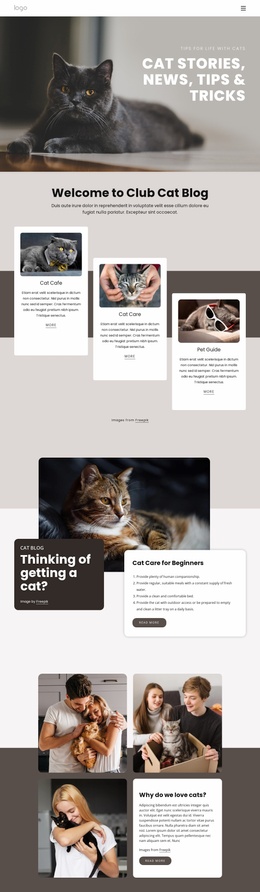
For a cat-oriented site, developers might decide that each independent adoption profile merits an 'article', while a portrait and caption fit a 'figure'. For a bird rescue, a rehabilitation story, a care guide, or an educational video may require different markup. Those are source-level decisions based on the content, not assumptions based solely on how the page looks in the editor.
HTML5 also provides native media elements. If an animal education page includes video, review the actual exported implementation, poster image, captions or transcript needs, fallback behavior, and performance rather than treating the presence of video as proof of semantic quality.
Review the Exported Markup as HTML5
Use source QA to check whether the HTML5 principles are actually present in the finished project. Look for meaningful page regions where appropriate, a logical heading hierarchy, descriptive media relationships, accessible navigation and forms, and markup that does not misuse semantic elements simply for styling.
The SEO Settings can still control page metadata, but metadata is not what differentiates an HTML5 template. Likewise, responsive grids and image formats are useful across many Nicepage page types and should stay secondary here.
A bird-focused direction can guide the subject and visual tone. HTML5 quality is verified later in the source: inspect, validate, adjust where necessary, and test the final page in the environment where it will be deployed.
HTML5 Questions for Pet and Animal Projects
Does Nicepage automatically turn every visual block into semantic HTML5 elements?
Do not assume that it does. Nicepage supports static HTML export, but the final source should be inspected to confirm which semantic elements are present and whether they match the content's meaning.
How is an HTML5 template different from a regular HTML template?
A regular HTML template is best understood as a complete static site package. The HTML5 template type places additional emphasis on reviewing and, when needed, refining modern semantic elements, media markup, and document relationships inside that package.
Could an article element represent one animal profile?
Yes, when the profile is a self-contained piece of content that could reasonably stand on its own. The choice should follow the content meaning rather than the visual card design alone.
Should every Nicepage section become a section element in the final HTML?
No. A semantic 'section' should represent a meaningful thematic group, usually with an appropriate heading. Visual page blocks and semantic document sections are not automatically the same thing.
Can animal videos be part of an HTML5 page?
Yes. HTML5 supports native media, but the production result should still be checked for appropriate formats, poster images, captions or transcripts where needed, fallback behavior, and page performance.
Make HTML5 a Verification Target
Choose and edit the animal layout visually, export the static project, and then verify the markup that was actually produced. If the required semantic relationships are missing or too generic, treat them as a developer QA and refinement task before deployment. That keeps this page genuinely HTML5-focused without attributing unsupported automatic behavior to the editor.