350 Nature HTML5 Templates




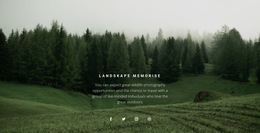
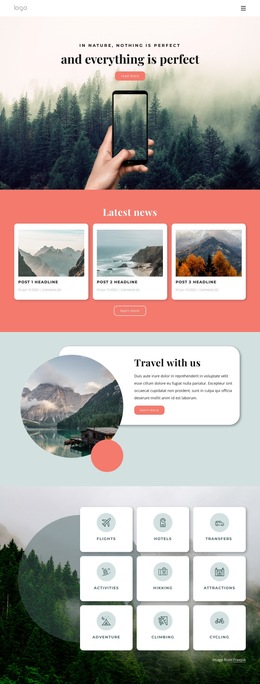

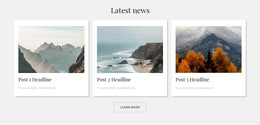
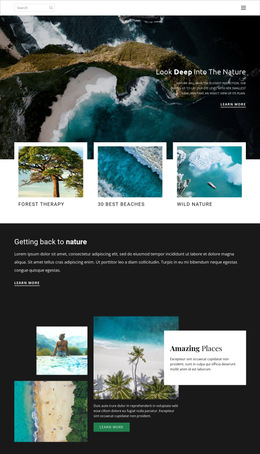




















































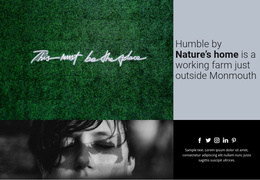





Responsive Nature HTML5 Template with Semantic Content Architecture
A nature HTML5 template is most useful when the project contains recurring information that must stay technically organized as the site grows. Instead of treating a page as a collection of decorative blocks, HTML5 gives conservation teams, trail services, botanical groups, and outdoor educators recognizable document regions for navigation, primary content, repeated entries, supporting material, and footer information.
That structure matters because nature content often follows repeatable models. A species entry may contain habitat, range, conservation status, imagery, and references. A trail entry may contain distance, difficulty, season, safety notes, and map information. A conservation report may repeat objective, evidence, progress, and outcome fields. The template provides a stable technical frame for those relationships.
What Defines a Nature HTML5 Content Structure?
The central idea is semantic organization. Navigation should remain navigation; the main subject should remain distinct from supporting material; repeated entries should follow the same content model; and page-level information should maintain a predictable role. This makes the document easier to extend when new species, trails, habitats, or reports are added later.
A tree-focused project can use tree website ideas for subject direction while keeping restoration updates, species entries, and habitat notes inside consistent semantic regions. The visual treatment can change without forcing the underlying content roles to change.
Nature-Specific Content Models for Reusable Sections
A strong HTML5 nature project benefits from defining repeated content patterns before styling them.
Species Profile
A species entry can consistently group the common name, scientific name, habitat, geographic range, status, identifying imagery, and related notes. When dozens of entries use the same model, visitors and editors know where each kind of information belongs.
Trail Record
A trail entry can keep distance, difficulty, elevation, or terrain details, seasonal access, safety guidance, and map information in predictable positions. Supporting alerts can remain separate from the primary route description rather than being mixed into a single undifferentiated text block.
Conservation Report
A report can repeat objective, field evidence, actions, milestones, and outcomes. The Grid Repeater Element can support recurring cards for reports, species, trails, or habitats, while the Image Gallery Element can keep field photography within a dedicated content region. Botanical projects can pair that organization with flower design references where the imagery needs a more specific visual direction.
Preserve Content Roles Across Responsive Views
Responsive behavior should change presentation without confusing the role of the content. A habitat map may move below its explanation on a phone, trail facts may stack vertically, and repeated species entries may become single-column cards while still preserving the same information model.
Edit Mobile Views helps refine those arrangements across desktop, laptop, tablet, and phone modes; the Responsive Modes documentation explains the available views. Expand Image can give a landscape image more visual weight without changing the surrounding section's technical role, and Color Scheme can visually group related regions without redefining their structure.
For environmental technology subjects, solar website concepts can extend the content theme while the same HTML5 organization remains in place.
Professional Nature HTML5 Questions
What kinds of nature content benefit from reusable HTML5 sections?
Species profiles, trail records, habitat summaries, conservation reports, project updates, and educational articles benefit from a stable content model, while the individual facts and imagery change.
How should repeated species or habitat entries be organized?
Keep the same information roles in each entry. A species profile, for example, can consistently include habitat, range, status, imagery, and supporting notes, so that every record follows a predictable structure.
Can responsive layouts change without losing the semantic organization?
Yes. Nicepage responsive modes can change the visual arrangement across devices, while the navigation, main content, repeated entries, and supporting information remain logically distinct.
Can the finished HTML5 project be hosted on a third-party service?
Yes. Nicepage allows unlimited third-party hosting. Once the structure and presentation are ready, the project can be prepared using the Export HTML Website workflow and hosted with the provider of your choice.
Build the Content Model Before Styling the Details
Define the recurring information first: what belongs in a species profile, a trail record, a habitat summary, or a conservation report. Then map those content types to stable semantic regions and verify that their roles remain understandable across responsive views. The result is an HTML5 template whose value comes from technical organization rather than from a particular visual demo.