
Adult One Page Templates
Adult coaches, education providers, and recreational instructors can introduce their services without dividing information across multiple pages. One-page templates arrange program details, instructor introductions, schedules, and contacts into connected sections with direct navigation between them.


















































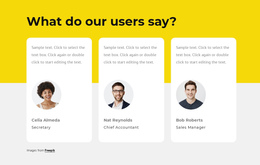

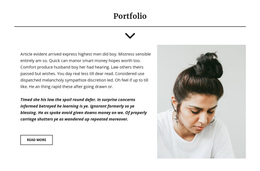
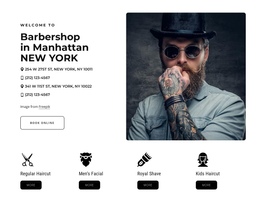

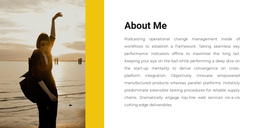



Other Team One Page Templates
Adult One-Page Template for Small Services
A compact service does not always need separate pages for every detail. An adult one-page template can bring a short program overview, practical information, and a contact route together on one scrolling URL.
Arrange the Essential Training Sections
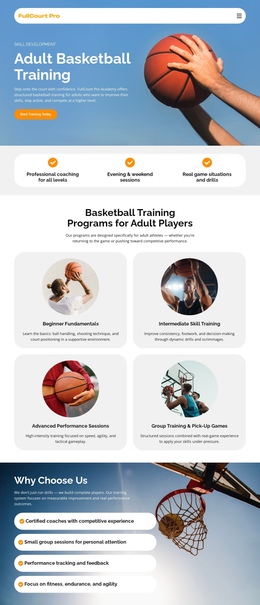
For a small recreational training site, the first section might introduce the instructor and show a real practice photograph. Next, Training Options can distinguish beginner and intermediate sessions, followed by an Instructor section with relevant experience. A Schedule section then explains where and when classes take place, and Contact gives visitors a clear way to inquire.
This is a suggested sequence, not a guarantee that a selected design contains these blocks. It works because visitors can move from understanding the activity to checking practical attendance information without opening several pages. A short inquiry button after the activity options can point to the contact section instead of introducing a separate campaign flow.
An adult dog training service could use the same one-page principle with a different subject: introduce obedience work for mature dogs, explain consultation or group-training options, describe the trainer, and finish with practical contact details. The page stays manageable when you limit the number of services.
Plan the five content sections and their navigation in six steps:
- Introduction: Identify the activity and audience.
- Options: Describe the available training formats.
- Instructor: Explain relevant experience and approach.
- Schedule: Give current participation details.
- Contact: Provide a direct inquiry destination.
- Navigation: Link visitors to those five sections from a compact menu.
Before publishing, complete a separate verification pass:
- Check each anchor link on a desktop screen.
- Test menu expansion and section jumps on a phone.
- Ensure sticky navigation does not obscure headings.
- Keep repeated contact buttons pointed at the same destination.
Make Anchor Navigation Useful on Desktop and Mobile
Nicepage Block Anchors and one-page menu settings let navigation items link to sections on the same page. Use labels matching the destination content, such as Training, Instructor, Schedule, and Contact. Check each jump on desktop and phone, particularly when a sticky header could cover the target heading. On small screens, ensure the collapsed menu opens correctly, and the chosen section remains visible after the jump.
A contact button may appear near the training overview and again beside practical details, with both linking to the same section. The purpose is to help users reach the right part of the page, not to repeat a sales message in every block.
A one-page site isn't necessarily a campaign landing page: it can describe a small organization rather than promote one temporary offer. If separate adult courses need detailed outlines, their own articles, or independent schedules, a multi-page structure may be more useful. Choose this format when the important information genuinely fits together on one page.