Full Width Slider One Page Templates
-

-

-
-
-
-
-
-
-
-
-
-
-
-
-
-
-
-
-
-
-
-
-
-
-
-
-
-
-
-
-
Build Website with no CodingDownload
-
-
-






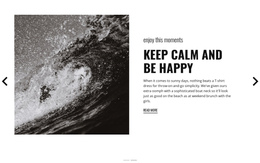


























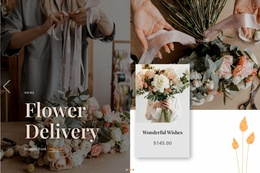
Flexible Full Width Slider One Page Templates for Single-Page Websites
Full Width Slider One Page Templates place a large slide-based section inside a single-page website structure. The slider may appear as the hero, introduce several services or projects, or create a prominent visual showcase before visitors continue through anchored sections below.
The central idea remains simple: the site stays on one page, while the Full Width Slider gives several related messages or visuals a large shared presentation area.
Use the Slider as a One-Page Hero or Featured Section
A one-page website often needs a strong opening because visitors can move directly from the top of the page to services, work, pricing, testimonials, or contacts through section links. A Full Width Slider can make that opening more flexible by presenting several related messages without requiring separate pages.
Common uses include:
- hero slides for several core services or propositions;
- portfolio highlights before the projects section;
- campaign or event messages above the detailed schedule or information;
- product visuals before features, pricing, or contact content.
The slider should support the single-page structure rather than compete with it.
Connect Full-Width Slides With Anchored Sections
One-page layouts commonly use menu links that move visitors to sections on the same page. The slider can sit above that anchored content or appear between major sections, but its messaging should remain connected to the page structure.
For example, a service slide can use a button that leads visitors to the service details lower on the page. A portfolio slide can connect to the work section, while a campaign slide can direct attention toward registration or contact content.
This creates a practical relationship between the Full Width Slider and single-page navigation without making the slider responsible for the entire page experience.
Keep Slide Content Concise in a Long Scrolling Page
Because one-page websites already contain many sections in one scroll, the slider should not become overly dense. Large imagery, a short headline, one supporting sentence, and an optional action are often enough.
The Nicepage Slider Element provides the direct slide-based interaction. Use it to keep several visual states in one section while allowing the rest of the page to stay organized around its anchored content.
A useful rule is to let the slider introduce or highlight, while the sections below provide the fuller explanation.
Plan the Slider Around the One-Page Menu
If the header menu links to sections such as About, Services, Work, Pricing, and Contact, the slider can reinforce those priorities without duplicating them.
A clean pattern is:
- one slide for the main proposition;
- one slide for a major service or product;
- one slide for featured work, an event, or a campaign.
More slides can work, but every additional slide should justify its place in the single-page structure.
Responsive Full Width Slider Design for One-Page Templates
On mobile screens, a long one-page site already requires substantial scrolling, so the slider needs careful responsive treatment. Keep headings short, protect the image focal point, and make navigation controls easy to use without covering the content.
If the slider is the hero, test how its height changes on smaller screens. The goal is to preserve a strong opening without forcing visitors to swipe through an oversized visual area before they can reach the anchored sections below.
Full Width Slider One Page Template FAQ
Where Does a Full Width Slider Work Best on a One-Page Website?
It often works well as the hero or as a major featured-content section for services, projects, products, campaigns, or events.
Can Slider Buttons Link to Sections on the Same Page?
Yes. In a one-page layout, actions can guide visitors toward relevant anchored sections such as services, work, pricing, or contact content.
Can Nicepage Make an Image Work as a Full-Width Background?
Yes. Nicepage's Expand Image feature can turn a standard image into a background and can also return it to a standard image element. This supports broad image-led compositions, while the slider interaction remains a separate functional concern.
Can Colors Stay Consistent Across a One-Page Project?
Yes. You can modify Nicepage theme colors in Site Settings, where the Color Scheme applies across the project's pages. The same color system can help a Full Width Slider visually relate to the rest of the page.
Build the Slider Into the Single-Page Structure
Choose a Full Width Slider that suits the opening or featured-content role, open it in the Nicepage editor, and adapt the slides around the same topics represented in the page's anchored sections. Keep the sequence concise so visitors can enjoy the large visuals and still move naturally through the rest of the one-page website.