
Bookshelf WordPress Themes
Bookstores, libraries, reviewers, and literary projects often need to update titles and editorial content after launch. These WordPress themes combine a shared bookshelf design with CMS-based page management and visual editing.



More WordPress Themes from Education Category
-

-

-
-
-
-
-
-
-
-
-
-
-
-
-
-
-
-
-
-
-
-
-
-
-
-
Free Website Builder SoftwareDownload
-
-








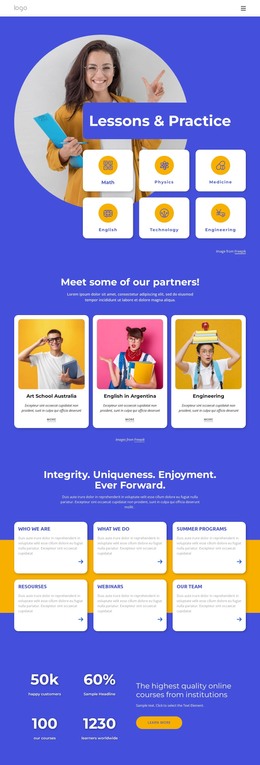




































Other Education WordPress Themes
Bookshelf WordPress Themes for Book Sites That Publish Often
Book content refuses to sit still. New releases arrive, a review gets written on Sunday night, and the staff picks changes for the month. WordPress suits that rhythm, and the theme keeps the site looking like itself while all of that moves beneath the surface.
New Reviews Get Published Weekly
Book projects land on a CMS because the writing never stops. A review blog publishes several times a week and needs archives that still work two years later. A bookstore mixes a catalog with editorial notes about what just landed. A library refreshes themed selections every season and leaves its branch details alone for years.
Book content splits into types that the CMS treats differently:
- Posts for reviews, release notes, and reading recommendations;
- Categories and tags for genres, awards, or seasonal selections;
- An author taxonomy, so every title by one writer is collected in one place;
- Standing information such as opening hours, ordering, or membership.
A theme is worth judging by whether it already has a template. A bookstore that sells directly will also want WooCommerce compatibility, and filtering a large catalog is usually handled by a plugin rather than the theme itself.
Global Styling Stays Put While Content Changes
The theme holds site-wide colors, fonts, and templates that give every review the same look. Header and footer belong to it as well. Editors then work inside WordPress without touching any of that, which is what makes a hundred posts survivable.
Nicepage themes are built in the desktop application, and its plugin provides Site Style, along with Blog and Post templates, once the theme is running.
A typical Nicepage workflow runs in a few steps:
- Build and export the theme from the desktop application;
- Upload it to the WordPress install and activate it;
- Add the editor plugin, then import the prepared pages;
- Hand the writing to editors and keep design edits in one place.
The installation guide walks through the theme, plugin, and import steps in order.
Plugins Handle Sales, Search, Filters
No theme does everything a book site eventually needs. Selling paperbacks calls for a shop plugin, and an events calendar covers author readings. Advanced filtering of a large catalog usually comes from outside the theme, too. What a theme owes you is a design that still looks right once those parts are installed.
Line up the kinds of book content you expect to publish over a year, then check which of them the theme already handles. A design that only dresses up a home screen starts to feel thin around the third season of reviews.