Learning is a lifelong process WordPress Theme



Edit Template Offline
2. Create new page and search for id 254603
Edit Template Online
Create Awesome Websites


Free Nicepage Builder
Keywords
Course Areas and Topic Cards Give WordPress Content Clear Roles
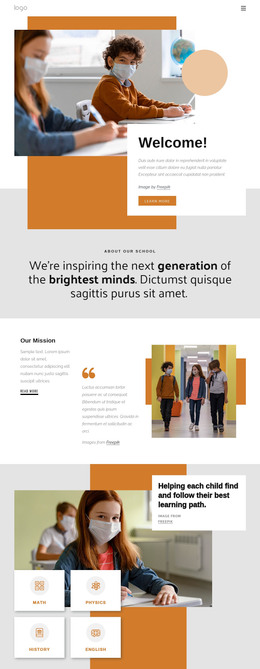
The page’s content areas map naturally to a WordPress-oriented education project without requiring unsupported claims about existing posts or blog templates. “Learn Everyday” can serve as page-level introductory content, while “Join online courses today” and “Train Your Brain Today!” provide separate areas for presenting course-focused information. Their related headings and learner imagery make the relationship between general education and course participation easy to preserve as content is revised.
The four numbered cards create a different type of content structure. Teaching, Innovations, Students, and Resources are presented as repeated topics with short descriptions and actions, making them suitable reference points for organizing permanent page content or future publishable material. The Innovations in Online Learning collage adds another editorial direction through Virtual Classroom and Modern Education labels, while the Online Learning panel gives a featured image-and-copy area. These relationships are more useful than simply attaching a CMS name to the design.
The Contact Us block supplies a clear page-oriented interaction region. An inquiry form is surrounded by Call Us, Location, and Business Hours cards, so contact content remains visually connected to the education theme. In a WordPress project, the same visual system can support permanent education pages and later content additions without changing the core design character. The verified WordPress bridge is optional; the main value comes from the way the template separates introduction, course content, topic categories, innovation material, and contact information.
Customize with Nicepage
Open this ready-made template in the WordPress Website Builder and customize it visually in the Nicepage editor. Replace demo content, edit page sections, and adapt the design to your project without rebuilding the template from scratch.
Manage and Edit This Theme in WordPress
Customize and Install the WordPress Theme
Start with this ready-made theme instead of building the WordPress design from scratch. Customize its layout, content, typography, images, sections, and other design elements visually in Nicepage editor, then export and install the WordPress Theme, Plugin, and Pages on your WordPress site. The Nicepage WordPress Plugin lets you continue working with the site after installation.
Edit the Theme Directly in WordPress
After installation, you can edit the WordPress Theme directly in WordPress with the Nicepage WordPress Plugin. Use Site Style to customize site Colors, Fonts, Header, Footer, Blog, and Post Page Templates while working within your WordPress website.
Edit WordPress Pages Visually
Use the Nicepage WordPress Plugin to edit page content directly from the WordPress admin area. Open a WordPress Page with Nicepage and visually change its text, images, sections, and other page elements while continuing to manage the Page through WordPress.
WordPress Content and Theme Integration
Use the customized theme with WordPress Pages, Posts, Blog and Post Templates, menus, widgets, and other CMS-managed content. Shared theme elements such as Colors, Fonts, Header, Footer, Blog, and Post Page Templates can be managed as part of the overall site design, while WordPress provides the CMS environment for managing site content.
This workflow combines a ready-made WordPress Theme with visual customization, direct theme editing in WordPress, and continued content management through the Nicepage WordPress Plugin.