

Login HTML5 Templates
Member portals and customer applications need credential forms that behave predictably across browsers. An HTML5-based login layout provides a foundation for typed inputs, required-field checks, password entry, and account recovery links within an adaptable page structure.
-

-

-
-
-
-
-
-
-
-
-
Free Website Builder SoftwareDownload
-
-
-
-
-
-
-
-
-
-








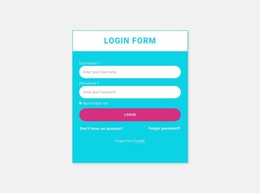

More HTML5 Templates from Contact Form Category
Other Contact Form HTML5 Templates
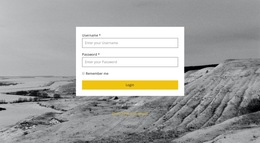
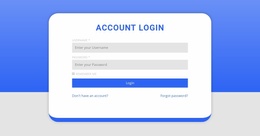
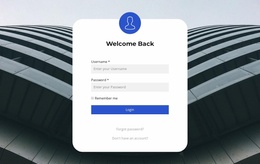
Login HTML5 Template for Native Browser Form Behavior
A ready-made login HTML5 template combines a usable sign-in layout with form attributes that modern browsers can interpret during entry and submission. Like other modern HTML login layouts, these templates use standard form elements. The focus here is on choosing a ready-made layout that makes effective use of native browser features, including input constraints and autocomplete hints.
HTML5 Input Behavior and Validation Attributes
An input with type="email" can trigger built-in email-format validation and may present a more suitable keyboard on mobile devices. The required attribute marks a field as mandatory for native constraint validation. These features can catch omissions or formatting mistakes before submission, provided native validation is enabled.
Autocomplete hints address a different task. autocomplete="username" identifies the account identifier field for compatible browsers and password managers, even when the identifier is an email address. autocomplete="current-password" indicates an existing password rather than a password being created. Support and behavior vary across browsers and password managers, so test these hints rather than treat them as guarantees.
A few distinctions matter when adapting a form:
- Input type:
type="email"adds email-specific browser behavior;type="password"masks characters but is not an HTML5-only invention. - Constraints:
requiredand relevant input constraints can reject some incomplete or malformed submissions in the browser. - Autofill semantics: Appropriate
autocompletetokens help software recognize the intended credential fields.
These browser checks help with input, but credential verification and access decisions still belong to the application.
Adapting HTML5 Login Layouts and Browser Behavior
A ready-made layout may need its field order, width, and supporting links adapted to the project. Keep password recovery navigation easy to find and place authentication feedback where users can see it after submission. Native validation handles some entry mistakes, while the application supplies any account-specific response.
When adapting the template, keep field semantics recognizable so password managers have useful signals. Test whether saved credentials can be suggested and filled, then check form submission and error placement in the target browser.
Nicepage supports custom markup through its HTML Element, which can be useful when a project requires additional form attributes or specialized HTML. Embedded code should be inspected in Preview or after publication to confirm the browser receives the expected markup.
When comparing login HTML5 templates, check whether credential fields use suitable input types, required-field constraints, and autocomplete hints. The selected layout should also provide accessible recovery links and space for authentication feedback. Test browser autofill and submission in the deployed environment; these native conveniences complement, rather than replace, the site's authentication service.