
Continue after registration Website Template


A Reusable Account-Access Area for a Broader Site
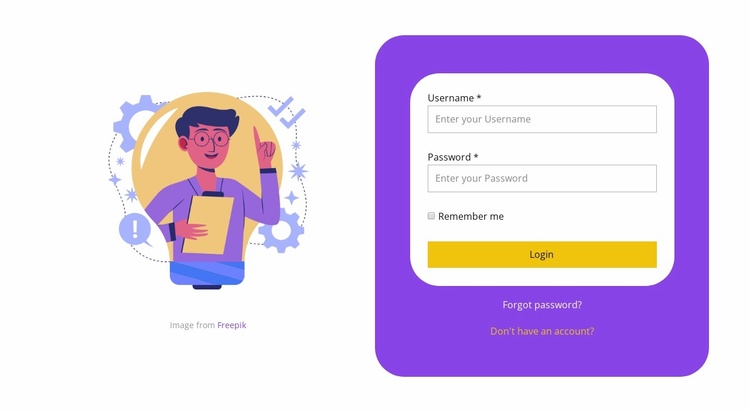
The block defines one stable website content area: a visual introduction on the left paired with credential entry on the right. The purple rounded container gives the account region a consistent outer boundary, while the white form card keeps the username and password inputs visually grouped. The remember-me checkbox and yellow Login button complete the main access path; the Forgot password? and account creation links provide adjacent routes without turning the section into a general registration or information page.
Within a broader website template project, this block can be reused wherever visitors need to enter an existing account. Other sections or pages can handle introductions, educational content, services, or post-login destinations, while this one preserves a focused access pattern. Its illustration, color surfaces, and generous whitespace also offer a visual cue that can be coordinated with related account screens without requiring every part of the site to copy the same arrangement. The block therefore contributes a specific functional section rather than a complete website structure. Nicepage’s Page Design Set can help locate matching designs for the surrounding project, while this section remains responsible only for its verified login content and layout.
Customize with Nicepage
Open this ready-made template in the Website Template Builder and customize it visually in the Nicepage editor. Replace demo content, edit page sections, and adapt the design to your project without rebuilding the template from scratch.
Edit Template Offline
2. Create a new page or select existing
3. Click Add new block, search for id 1442378 and click enter
Edit Template Online
Create Awesome Websites


Free Nicepage Builder
Keywords
Build a Complete Website From This Template
Customize the Website Visually
Use this ready-made website template as a starting point for your project and adapt its pages visually in Nicepage. Change content, images, typography, navigation, sections, and other design elements while keeping the website together as a single editable project.
Manage Website Pages in One Project
Use the Pages panel to open, add, duplicate, and manage the pages of your website. Work on individual pages while keeping navigation and the overall site structure accessible from the same project, making it easier to develop a complete website instead of managing separate page files.
Expand the Website With Matching Designs
When you need additional pages or sections, use Page Design Sets to find Page and Block Designs created in the same visual style. Design Sets group matching designs together, making it easier to expand the website with new content while maintaining a consistent look across its pages and sections.
Organize Larger Multi-Page Websites
As the website grows, use Page Folders to organize related pages and keep larger multi-page projects easier to navigate in the editor. This is especially useful for websites with separate service pages, company information, contacts, landing pages, and other content areas.
This workflow makes the template a practical foundation for building and expanding a complete website while managing its pages, content, and visual design within one Nicepage project.
