
Social Templates






















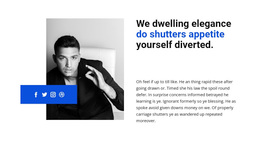
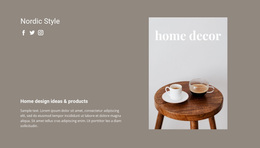
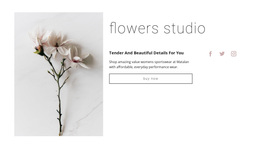
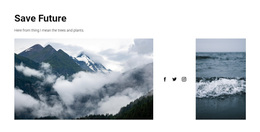





Professional Social Templates for Social Content, Campaigns, and Creator Formats
Social templates cover a broad range of reusable social design formats, from campaign graphics and recurring social-media content to creator/profile designs, promotional assets, follow/share sections, and selected community-oriented layouts.
Start by choosing the output you actually need. A brand may need repeatable post or campaign designs, a creator may need profile-led visual formats, and a website may only need a compact follow/share section. Community- or website-oriented layouts are another possible branch, but they are one option within the wider Social template category, not the default meaning of the page.
This page therefore works as a category and selection guide across Social template formats. More specific website, HTML, or HTML5 categories can go deeper when the required product is already clear.
Choose the Social Template Type Before the Layout
The broad Social category is most useful when you have not yet chosen a specific format. Compare the intended output first:
- social-media content templates for recurring posts, announcements, stories, or platform-ready visuals;
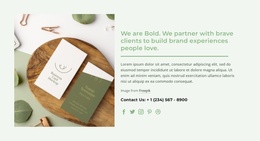
- campaign templates for launches, promotions, events, and coordinated social messaging;
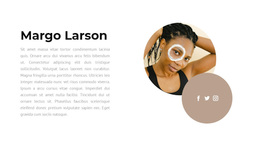
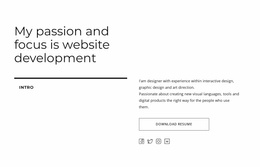
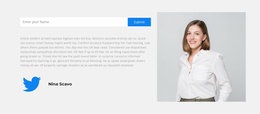
- creator and profile formats that foreground identity, media, personal branding, or portfolio-style content;
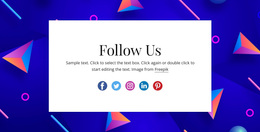
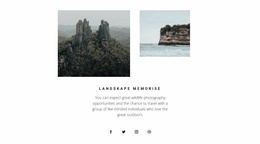
- follow/share sections for websites that need compact connections to external platforms;
- community-oriented layouts when the project specifically moves toward a member or social-network website.
The first four directions cover common content, promotional, creator, and connection needs. Community layouts remain available as a more specialized branch rather than defining the whole category.
Compare Reusable Social Formats
Different Social templates solve different publishing and presentation tasks. A campaign set can keep launch visuals consistent across multiple assets. A recurring content template can speed up posts and announcements. A creator format can establish a recognizable visual identity, while a follow/share section can connect an existing website to external channels.
Community-oriented layouts can also appear in the category when member interaction is part of the project, but detailed website architecture belongs to the dedicated Social Website Templates page. Here, the priority is comparing the available Social template formats and selecting the right output type.
Match the Template to the Social Content Model
Choose the structure around the content that will be produced repeatedly:
- for campaigns, prioritize message hierarchy, promotional visuals, and reusable branded assets;
- for social-media content, prioritize repeatable post, announcement, or story-style compositions;
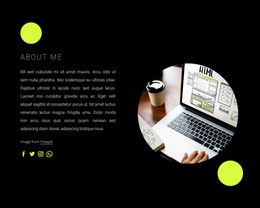
- for creator formats, prioritize identity, media, recognizable presentation, and profile-led content;
- for follow/share sections, prioritize clear platform recognition and compact placement; a Tumblr-focused section is one example of a platform-specific connection pattern;
- for community-oriented layouts, use member-focused patterns only when the project genuinely requires that branch.
This keeps the general Social Templates page broad without turning it into a guide to complete community websites.
Adapt the Chosen Template Without Forcing One Pattern
Once the template type is clear, refine the details that matter to that format. A community layout may need profile and feed density decisions; a campaign asset may need repeatable message and visual zones; a creator layout may prioritize identity and media; a follow/share block may need only a compact icon group.
For that last case, the Social Icons Element can be adjusted by platform, size, spacing, custom icon, and color. The broader rule is fit the controls to the template type instead of making every Social template behave like an icon section.
Social Template Questions
What Are Social Templates Used For?
They provide reusable formats for social-media content, campaigns, creator or profile presentation, promotional assets, and follow/share sections. Community-oriented layouts can also fit when the project needs a member-focused website direction.
Can I add another social platform in Nicepage?
Yes. Nicepage allows you to add another icon to the Social Icons Element and specify its social link. If the required platform icon is not available, you can also upload a custom social icon and assign its destination.
Can I change the appearance of Social Icons?
Yes. You can customize the Social Icons Element by changing its size and the spacing between icons. Nicepage also provides color controls for Social Icons, allowing the icon group to be adapted to the surrounding section design.
Can Social Templates Cover More Than Website Icon Sections?
Yes. The broader category can include recurring social-content designs, campaign assets, creator/profile formats, promotional visuals, and follow/share sections. Community-oriented website layouts are another possible branch rather than the center of the category.
What Should I Choose First: Platform or Template Style?
Start with the content and action you need to support. A community feed, creator profile, campaign asset, and simple follow block require different structures even when they reference the same platform.
Select a Social Template That Matches the Intended Content
Compare the available formats by the output you need:
- choose a social-content template for repeatable posts, announcements, or platform-ready visuals;
- choose a campaign template for launches, promotions, events, or coordinated messaging;
- choose a creator/profile design when identity, media, and personal presentation lead the content;
- choose a follow/share section for compact external-platform connections;
- choose a community-oriented layout only when the project specifically moves toward a member-focused website;
- move to Website Templates, HTML Templates, or HTML5 Templates when that more specific product format is already clear.
The result should preserve Social Templates as a broad format-selection page, with social-content, campaign, and creator use cases carrying more weight than the specialized community-website branch.






















































