
Brands Templates















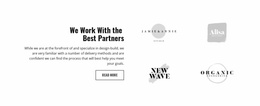
Creative Brands Templates for Client, Partner, and Sponsor Logo Sections
Brands Templates help present recognizable client, partner, sponsor, compatibility, or affiliation marks in layouts that make those relationships easy to understand. The template choice should reflect how many organizations need to appear, how prominent they are, and what visitors should understand from seeing them together.
A compact trust strip may suit a small client set, while a larger partner or sponsor collection may need a structured grid with supporting labels. Colors and typography can support the surrounding presentation, but the defining content remains the recognizable brand marks and the relationships they communicate.
Start With the Logo Set and Relationship Type
Before choosing a layout, identify what the logos represent and how much context visitors need.
- Client logos can provide recognizable proof of experience.
- Partner marks can communicate collaboration or an ecosystem relationship.
- Sponsor logos can show support around an event or initiative.
- Compatibility marks can identify supported products, tools, or platforms.
A section focused on collaborative relationships may use a partner-oriented content direction, while the Brands template still keeps logos as the primary recognition device.
Compare Layouts by Logo Capacity and Hierarchy
Different logo sets need different amounts of space. A short row can keep several important marks immediately visible, while a larger collection may need multiple rows or a grid that gives every identity enough room.
The Image Element is the direct Nicepage feature for individual visual marks. Using the Image Element makes it practical to replace each logo while keeping the overall arrangement consistent.
Compare how well each template handles mixed logo proportions, repeated items, spacing, labels, and the visual priority of more important relationships instead of judging only by decoration.
Add Supporting Context Without Replacing the Logos
Some collections need a short heading, label, or description so visitors understand why the organizations appear together. A partner section may explain a technology ecosystem, while a sponsor area may clarify the role those organizations have in an event.
Supporting colors, typography, or background treatment can help the section fit the broader page. A broader brand-focused context may provide that visual language, but those choices should remain secondary to the main Brands task: presenting recognizable affiliations clearly.
Keep Relationship Groups Easy to Read
When one page includes several types of brands, avoid mixing every mark into one undifferentiated collection. Clients, partners, sponsors, and supported products can use separate headings or groups when their meanings differ.
This helps visitors interpret the marks correctly. A smaller client strip may need almost no explanation, while a larger partner collection can benefit from labels or links.
Keep Brands Distinct From Social Content
A Brands template is defined by recognizable organization or product marks that show client, partner, sponsor, compatibility, or related relationships. Social content instead uses platform icons for profiles, follow actions, or sharing. That distinction should guide template choice before styling does.
Brands Templates FAQ
How Should I Choose a Brands Template?
Start with the number of logos, the relationship they represent, and the amount of supporting context they need. Choose a layout whose capacity, spacing, and hierarchy fit that content rather than selecting by decoration alone.
Can I Adjust a Brands Layout for Different Screen Sizes?
Yes. Nicepage supports Responsive Modes for Large Screens, Desktops, Laptops, Tablets, and horizontal or vertical phones, allowing logo collections to be adjusted for different screen sizes.
Can Brands Templates Include Colors or Typography?
Yes, but those elements should support the surrounding presentation. The primary content should still be recognizable client, partner, sponsor, compatibility, or affiliation marks.
What Content Belongs in Brands Instead of Social?
Use Brands when recognizable organization or product marks communicate affiliation or another relationship. Use Social when the main content is social-network icons, profiles, follow actions, or sharing links.
Select the Pattern That Matches the Logo Relationships
Choose a Brands template according to the logo set, relationship type, and hierarchy the section needs to communicate. Open the strongest option in the Nicepage editor, replace the marks, refine spacing and supporting context, and keep colors or typography subordinate to the recognizable affiliations that define the section.






















































