
Video Templates
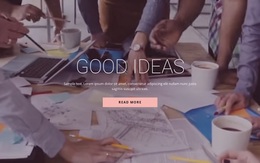
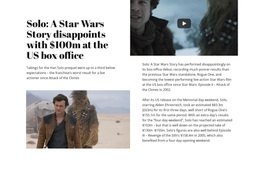

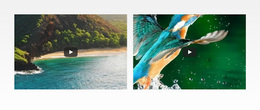

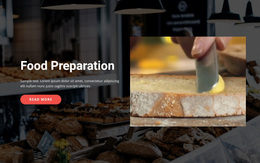

Ready-To-Use Video Web Templates for Different Viewing Scenarios
Here, Video Templates means templates for web pages and website sections that present video content through different layout patterns. They are not templates for creating, editing, or producing video files. The category is about choosing the right viewing scenario and page or section layout for a showreel, tutorial, product demo, testimonial, featured episode, interview, or media collection.
Match the Layout Pattern to the Video Use Case
Start with the viewing scenario rather than with broader site structure. A product demo may need a large player with concise benefit copy, while a testimonial can pair the clip with proof or attribution. A tutorial may need steps or resources close to the player, and a featured episode can use a layout pattern with one primary video and related entries.
Useful layout choices include:
- showreel layouts with one cinematic focal clip;
- tutorial layouts with supporting steps, notes, or resources;
- demo layouts that place video near product or feature context;
- testimonial layouts that combine the clip with trust signals;
- featured-episode layouts with one primary video and related content;
- media-collection layouts for browsing several entries.
The Nicepage Video Element provides the direct media component; the template choice defines the page or section layout pattern for that viewing scenario.
Compare Patterns by Interaction and Content Density
The differences between Video Templates should be visible in how the page presents the viewing task. A showreel can be sparse and cinematic; a tutorial can carry more supporting information; a testimonial can keep attribution close to the clip; a media collection can repeat cards for scanning. Choose the pattern by the amount of context, the number of videos, and the action visitors are expected to take around playback.
This keeps the category focused on layout-pattern and viewing-scenario selection rather than broader website structure.
Keep the Website-Creation Context Explicit
The phrase “video templates” can also refer to templates for video-editing or content-creation tools, so the web intent needs to be unmistakable here. These Nicepage templates are for creating web pages and website sections that display, organize, and present video content to site visitors.
Use them to choose and adapt page or section layouts around players, posters, headings, testimonials, tutorials, featured episodes, or media collections. Evaluate page composition, player placement, supporting copy, repeated media cards, and responsive layout behavior. Do not treat this category as a source of timelines, transitions, motion-graphics presets, or editable video-production templates.
Video Template Questions
Can different visual styles be combined in one Video section?
They can, but keep colors, typography, and other visual choices consistent enough that the player remains easy to identify as the focal point. Avoid adding effects that compete with the clip.
Should visual impact or usability guide Video template selection?
Usability should guide the choice. The layout should make the viewing task clear first; decorative treatment should support, not obscure, the player, context, or play interaction.
When is a player-focused Video template the better choice?
Choose one when the clip carries the main explanation, demonstration, interview, or story. If visitors are meant to watch rather than browse several media items or notice background motion, a dedicated Video pattern gives that task clearer priority.
Are these Video Templates for creating videos or for creating web pages?
They are for creating web pages and website sections that present video content. They organize players, posters, supporting copy, testimonials, tutorials, featured media, and collections on the web. They do not edit footage, create video files, or provide timelines and production presets.
Choose the Web Layout That Fits the Viewing Scenario
Compare layouts by player prominence, supporting-content density, repeated-media behavior, and the clip's role. Open the selected design in the Nicepage editor, replace the example media and copy, and adapt the page or section layout pattern to the actual viewing scenario.





















































