
Product Details Templates
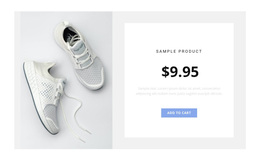
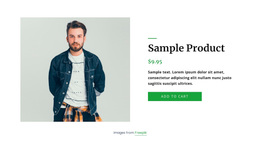
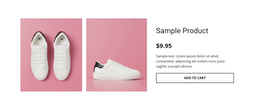
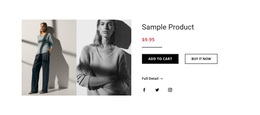
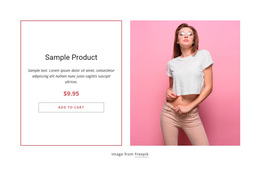
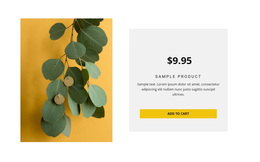
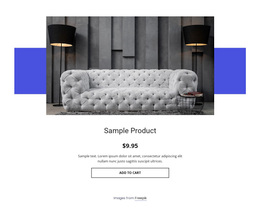
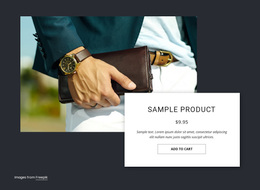


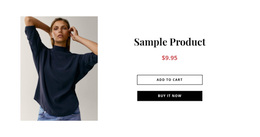
Professional Product Details Templates for Single-Product Layout Selection
Product Details Templates provide a broad starting point for choosing a single-product layout. Rather than tying the choice to a specific platform or output format, compare the structure that matches how shoppers need to inspect the product: through imagery, pricing, variants, supporting details, and a clear next action.
Different products create different layout demands. A visually led item may benefit from a large gallery, while a technical product may need structured specifications higher up. A product with several variants may need more room around its selectors, while a simpler offer may work better with a shorter information area and a more prominent CTA.
Compare Product Details Templates by Content Needs
Start by identifying what deserves the most space. Instead of forcing every product into the same pattern, compare templates according to the amount and type of content they need to carry.
Useful selection criteria include:
- Gallery type and image scale for products that depend on visual inspection.
- Variant and option placement when shoppers need to choose sizes, colors, or other alternatives.
- Long or short specification areas depending on how much supporting information matters.
- CTA placement in relation to price, options, and decision-making details.
- Mobile layout behavior when media and product information need to stack on smaller screens.
This makes the category useful as a general Product Details layout hub: you can compare the core information pattern first, then move to a format-specific option only when the surrounding project actually requires it.
Match the Layout to the Product Decision
A strong Product Details section makes the important parts easy to find without giving every element equal visual weight. The product title, price, key options, and primary action usually need faster recognition than secondary specifications or extended descriptive content.
For products with substantial technical information, look for a layout that can separate essential facts from deeper details. For lifestyle or design-led products, the gallery may carry more of the decision context, so image treatment and the balance between visuals and copy become more important.
Nicepage provides a Product Details Page Template for displaying detailed information about an individual product. Product information can be managed through the Products Panel, giving the chosen layout a defined product-data context.
Choose a Template That Works Beyond Desktop
Desktop previews can make almost any spacious Product Details design look comfortable. The more useful comparison is how the layout handles the same content when horizontal space becomes limited.
Check whether:
- the gallery remains easy to view;
- price and important options stay recognizable;
- long specifications remain readable;
- the primary action stays connected to the relevant product information.
Responsive behavior is part of template choice, especially when the desktop design uses large media, side-by-side columns, or dense option groups.
Product Details vs Product List
Product List is designed for browsing several products as repeated merchandising units. Product Details takes over when one selected item needs more depth.
That distinction helps avoid choosing an enlarged catalog card for a job that requires a richer product presentation. If the main task is browsing several items rather than examining one, Product List layouts are the closer starting point. A Product Details template should have enough flexibility for the product's decision-critical content without becoming a complete website layout.
Product Details Templates FAQ
Can Nicepage Manage Products Used in a Product Details Layout?
Yes. Nicepage provides a Products Panel for managing products, and those products can be output through Product List or Product Details page templates and elements.
What Should I Compare Before Choosing a Product Details Template?
Compare the gallery format, information depth, specifications, option placement, CTA position, and responsive arrangement. The right balance depends on the product content you need to present.
When Should I Choose Product Details Instead of a Product List?
Choose Product Details when one selected product needs a deeper presentation. Use Product List when the main task is browsing several products as a catalog or collection.
Adapt a Product Details Template to Your Product
Choose a layout whose structure already fits the product, rather than rebuilding the hierarchy from scratch. Use this general template selection as the starting point, then adapt the gallery and information areas, refine the options and specifications, and make sure the main product action remains obvious across screen sizes.





















































