
Full Width Slider Templates
-

-

-
-
-
-
-
-
-
-
-
-
-
-
-
-
-
-
-
-
-
Free Website Builder SoftwareDownload
-
-
-
-
-
-
-
-
-
-
-
-
-





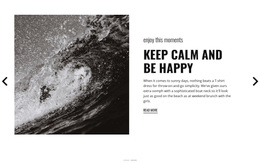



























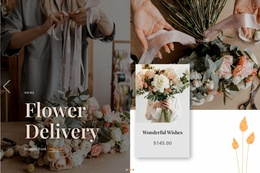
Advanced Full-Width Slider Templates for Comparing Ready-Made Slider Patterns
Full Width Slider Templates are designed for users who want to compare the slider itself as a visual component before choosing a pattern for a project. The main questions are how wide the slider feels, what kind of media it uses, where text sits, how controls behave, and how many slides the composition can support without becoming repetitive.
A useful comparison starts with the slider's visual and interaction model rather than the website structure around it.
Compare Width, Visual Scale, and Composition
Full-width sliders can share the same basic function while creating very different visual results.
Compare patterns by:
- visual scale: how strongly the slider fills the available width;
- image vs. video: whether still photography or motion carries the presentation;
- text placement: centered, left-aligned, right-aligned, or layered over media;
- content density: whether the slide is minimal or supports several content layers.
The right option depends on whether the slider needs to feel cinematic, editorial, product-focused, promotional, or deliberately minimal.
Compare Controls and Navigation Behavior
Controls shape how visitors move through the slides. Different Full Width Slider patterns may use arrows, dots, thumbnails, or a combination of navigation elements.
When comparing designs, check whether the interaction works best with:
- manual navigation when visitors should control the pace;
- autoplay when the slider acts as a continuous visual showcase;
- prominent arrows or dots when slide discovery is important;
- subtle controls when the imagery should remain dominant.
The selected pattern should make additional slides easy to discover without allowing controls to overpower the visual composition.
Compare Image, Video, and Layered Content
Some Full Width Slider templates are built around large uninterrupted photography or video. Others create stronger text zones or use several visual layers inside each slide.
Compare:
- media-to-text balance;
- headline readability;
- button placement;
- overlapping or positioned layers;
- the amount of open visual space.
The Slider Element is the direct Nicepage feature behind this interaction. Once you select a pattern, you can adapt its slides to the project's imagery, video, text, and actions.
Choose the Right Number and Organization of Slides
A good Full Width Slider pattern should support the amount of content you actually need.
A short sequence can work well when each slide has a distinct visual role. A longer sequence needs more consistency in text placement, image treatment, controls, and pacing so the slider still feels like one coherent component.
Before choosing a pattern, consider:
- how many slides are genuinely necessary;
- whether every slide needs the same structure;
- whether one visual hierarchy can work across the sequence;
- whether the controls remain clear as the slide count grows.
Full Width, Full-Page, or Boxed Slider?
These formats differ mainly in presentation scale. A Full Width Slider stretches across the available horizontal section width. A full-page slider may occupy most or all of the viewport, while a boxed slider stays inside a narrower content container.
Choose the full-width pattern when horizontal scale and slide-based presentation both matter, but the slider still needs to work as one section rather than take over the entire viewport.
Full Width Slider Template FAQ
What Should I Compare First When Choosing a Full Width Slider Template?
Start with visual scale, media type, text placement, controls, autoplay behavior, layers, and the number of slides the pattern supports comfortably.
Can Full Width Slider Templates Use Video?
Yes, when the selected pattern supports video-led presentation. Compare how video, text, controls, and overlays work together so the slide remains readable and visually balanced.
Does Every Full-Width Slider Need Autoplay?
No. Manual navigation is often better when visitors should control the pace. Autoplay works when it supports the visual sequence without making slide content hard to follow.
Choose the Full Width Slider Pattern That Fits the Content
Compare Full Width Slider templates by width, media treatment, content placement, controls, autoplay behavior, layers, and slide organization. Then open the selected pattern in the Nicepage editor and adapt the sequence around the actual media and messages it needs to present.





















































