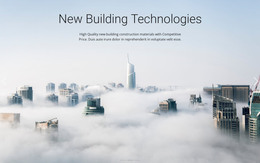
Keep calm and conquer the waves WordPress Theme


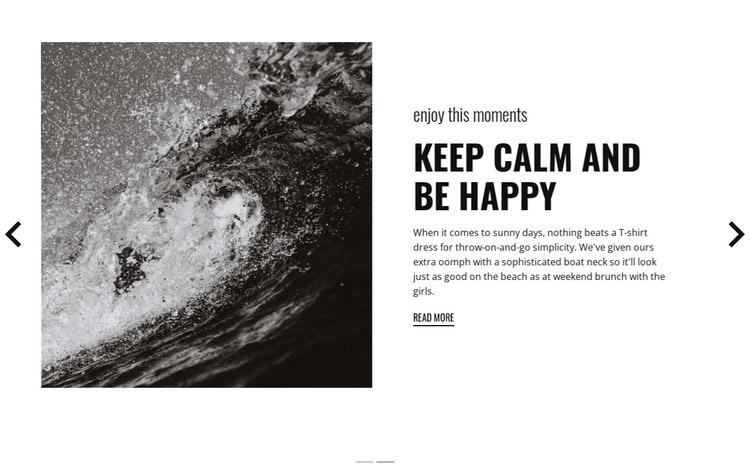
Stable travel content meets a rotating presentation
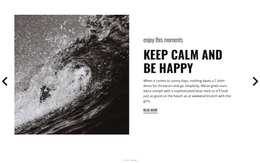
The repeated content pattern makes this section suitable for stable page-oriented information in a WordPress-managed project. Each slide combines travel imagery with a short headline, supporting paragraph, and “read more” link, while the shared “enjoy this moments” eyebrow keeps the two states connected. The visible and alternate headlines—“keep calm and be happy” and “free travel style”—can distinguish related feature messages without changing the section’s underlying structure.
The supporting copy adds lifestyle detail through references to sunny days, a T-shirt dress, beach wear, and weekend brunch. These details give the page content a clear travel and leisure direction, while the image-left and text-right arrangement keeps the information readable beside its visual context. The carousel controls and indicators let visitors move through the two content states within the same section.
In a WordPress-oriented project, this block can remain a reusable visual content area on a page while the surrounding site manages other content separately. It should be treated as a section for a travel feature, not as a complete theme or site. The black-and-white treatment, white panel, condensed headings, and underlined links can also provide a consistent presentation when related page content follows the same visual direction.
Customize with Nicepage
Open this ready-made template in the WordPress Website Builder and customize it visually in the Nicepage editor. Replace demo content, edit page sections, and adapt the design to your project without rebuilding the template from scratch.
Edit Template Offline
2. Create a new page or select existing
3. Click Add new block, search for id 79255 and click enter
Edit Template Online
Create Awesome Websites


Free Nicepage Builder
Keywords
Manage and Edit This Theme in WordPress
Customize and Install the WordPress Theme
Start with this ready-made theme instead of building the WordPress design from scratch. Customize its layout, content, typography, images, sections, and other design elements visually in Nicepage editor, then export and install the WordPress Theme, Plugin, and Pages on your WordPress site. The Nicepage WordPress Plugin lets you continue working with the site after installation.
Edit the Theme Directly in WordPress
After installation, you can edit the WordPress Theme directly in WordPress with the Nicepage WordPress Plugin. Use Site Style to customize site Colors, Fonts, Header, Footer, Blog, and Post Page Templates while working within your WordPress website.
Edit WordPress Pages Visually
Use the Nicepage WordPress Plugin to edit page content directly from the WordPress admin area. Open a WordPress Page with Nicepage and visually change its text, images, sections, and other page elements while continuing to manage the Page through WordPress.
WordPress Content and Theme Integration
Use the customized theme with WordPress Pages, Posts, Blog and Post Templates, menus, widgets, and other CMS-managed content. Shared theme elements such as Colors, Fonts, Header, Footer, Blog, and Post Page Templates can be managed as part of the overall site design, while WordPress provides the CMS environment for managing site content.
This workflow combines a ready-made WordPress Theme with visual customization, direct theme editing in WordPress, and continued content management through the Nicepage WordPress Plugin.