Business strategy agency WordPress Theme



Stable About Content With a Repeatable WordPress Page Role
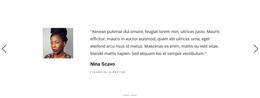
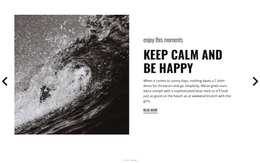
The headings “Who We Are” and “What We Do” give the section a durable page-content role rather than a time-sensitive stream of individual entries. The first slide can hold organizational identity information, while the second can present activity information, and both remain connected through the shared carousel structure. A left text area keeps the statements readable, each “read more” button offers a consistent next step, and the portrait on the right supplies a visual counterpart to the written content.
In a WordPress-managed site, this block can remain a recognizable about section within a page while other CMS-managed content develops around it. The interpretation does not require the section to contain blog posts, categories, or a complete theme structure. Its own interaction remains limited to the verified carousel: previous and next controls move between the two slides, and indicator dots show their sequence. The muted blue-gray background, serif headings, monochrome portraits, and outlined buttons can also help the section retain a stable visual pattern when placed beside other page content. The WordPress-oriented value is therefore the block’s suitability as publishable, reusable page content with a clear subject division, not a claim that the section itself is a standalone WordPress Theme.
Customize with Nicepage
Open this ready-made template in the WordPress Website Builder and customize it visually in the Nicepage editor. Replace demo content, edit page sections, and adapt the design to your project without rebuilding the template from scratch.
Edit Template Offline
2. Create a new page or select existing
3. Click Add new block, search for id 79260 and click enter
Edit Template Online
Create Awesome Websites


Free Nicepage Builder
Keywords
Manage and Edit This Theme in WordPress
Customize and Install the WordPress Theme
Start with this ready-made theme instead of building the WordPress design from scratch. Customize its layout, content, typography, images, sections, and other design elements visually in Nicepage editor, then export and install the WordPress Theme, Plugin, and Pages on your WordPress site. The Nicepage WordPress Plugin lets you continue working with the site after installation.
Edit the Theme Directly in WordPress
After installation, you can edit the WordPress Theme directly in WordPress with the Nicepage WordPress Plugin. Use Site Style to customize site Colors, Fonts, Header, Footer, Blog, and Post Page Templates while working within your WordPress website.
Edit WordPress Pages Visually
Use the Nicepage WordPress Plugin to edit page content directly from the WordPress admin area. Open a WordPress Page with Nicepage and visually change its text, images, sections, and other page elements while continuing to manage the Page through WordPress.
WordPress Content and Theme Integration
Use the customized theme with WordPress Pages, Posts, Blog and Post Templates, menus, widgets, and other CMS-managed content. Shared theme elements such as Colors, Fonts, Header, Footer, Blog, and Post Page Templates can be managed as part of the overall site design, while WordPress provides the CMS environment for managing site content.
This workflow combines a ready-made WordPress Theme with visual customization, direct theme editing in WordPress, and continued content management through the Nicepage WordPress Plugin.