Flower delivery WordPress Theme


A Repeatable Product Area for WordPress Page Content
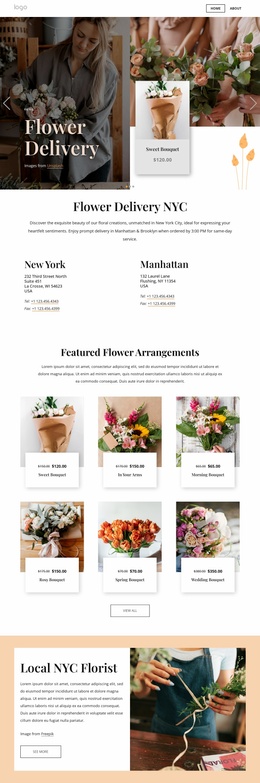
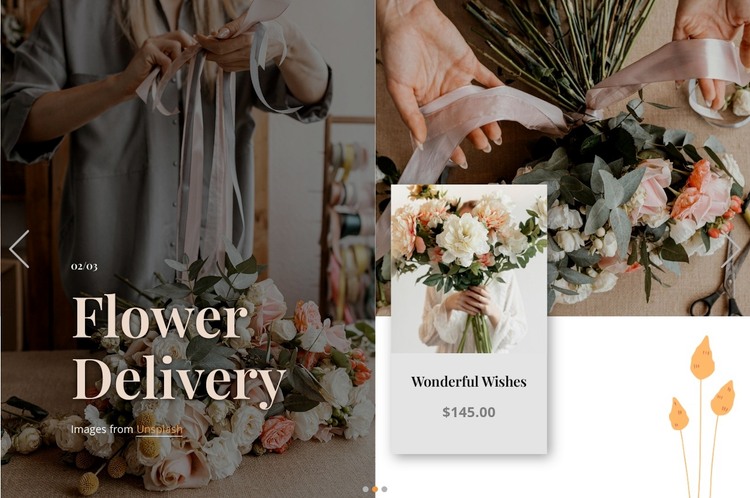
The large image-and-text panel gives the section a stable subject, while the layered image area and pale card organize the product detail beside it. Across three carousel slides, that relationship remains consistent as the bouquet image, product name, and displayed price change. The previewed 02/03 state shows Wonderful Wishes at $145.00; these sample values function as the visible content of that presentation rather than proof of a live catalog or current offer.
In a WordPress-oriented project, the block can serve as a durable featured-products area within page content. Its heading, card treatment, and repeated slide structure make the section recognizable when placed alongside other content, while the carousel controls let visitors move through the three presented options. The dark translucent overlay keeps the large serif heading readable over the floral image, and the centered pale card separates product information from the surrounding photography.
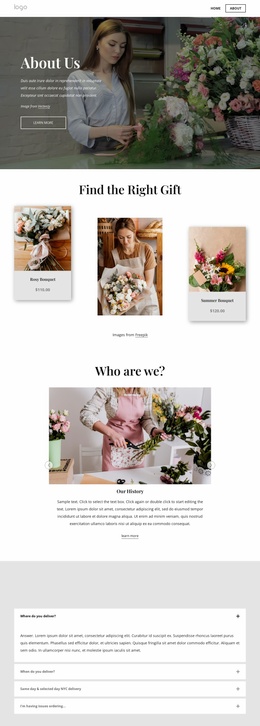
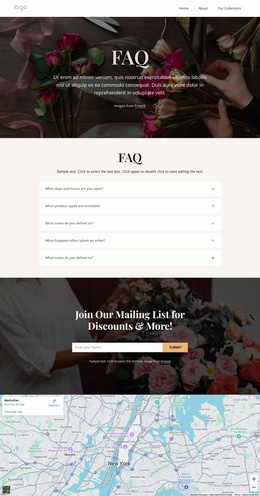
This role differs from a site-wide theme: the section contributes one visual and content area that a broader WordPress-managed site can place on a relevant page. Other pages or sections may handle categories, delivery details, contact information, or expanded product content. The block’s warm cream, gray, blush, and natural green palette can remain a consistent presentation choice for this product area while the surrounding project manages its wider publishing structure.
Customize with Nicepage
Open this ready-made template in the WordPress Website Builder and customize it visually in the Nicepage editor. Replace demo content, edit page sections, and adapt the design to your project without rebuilding the template from scratch.
Edit Template Offline
2. Create a new page or select existing
3. Click Add new block, search for id 6245711 and click enter
Edit Template Online
Create Awesome Websites


Free Nicepage Builder
Keywords
Manage and Edit This Theme in WordPress
Customize and Install the WordPress Theme
Start with this ready-made theme instead of building the WordPress design from scratch. Customize its layout, content, typography, images, sections, and other design elements visually in Nicepage editor, then export and install the WordPress Theme, Plugin, and Pages on your WordPress site. The Nicepage WordPress Plugin lets you continue working with the site after installation.
Edit the Theme Directly in WordPress
After installation, you can edit the WordPress Theme directly in WordPress with the Nicepage WordPress Plugin. Use Site Style to customize site Colors, Fonts, Header, Footer, Blog, and Post Page Templates while working within your WordPress website.
Edit WordPress Pages Visually
Use the Nicepage WordPress Plugin to edit page content directly from the WordPress admin area. Open a WordPress Page with Nicepage and visually change its text, images, sections, and other page elements while continuing to manage the Page through WordPress.
WordPress Content and Theme Integration
Use the customized theme with WordPress Pages, Posts, Blog and Post Templates, menus, widgets, and other CMS-managed content. Shared theme elements such as Colors, Fonts, Header, Footer, Blog, and Post Page Templates can be managed as part of the overall site design, while WordPress provides the CMS environment for managing site content.
This workflow combines a ready-made WordPress Theme with visual customization, direct theme editing in WordPress, and continued content management through the Nicepage WordPress Plugin.