Various logos Template


A Quiet Seven-Logo Alternative to Text-Heavy Proof
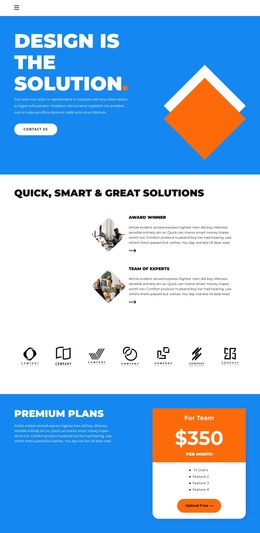
The centered client heading and seven evenly spaced monochrome marks distinguish this section through restraint. Instead of using testimonials, statistics, or a large collection of descriptive cards, it communicates recognition with one short statement and a repeated visual row. The predominantly black logos sit clearly on white, while the surrounding whitespace gives each mark enough room to remain identifiable as part of the group.
That combination makes the design useful when a page needs a compact client-reference area without increasing content density. The heading supplies the necessary context, and the seven-item count gives the section more visual presence than a single endorsement while keeping the arrangement easy to scan. Because no client names are visibly provided, the strength of the design lies in its collective presentation rather than in item-level storytelling.
As a ready-made section choice, it suits a composition that needs a calm transition between more detailed areas. The row can follow an introduction or service explanation and provide a visual recognition moment before subsequent content. Its value is not a broad promise about the surrounding project; it is the specific balance of one centered message, seven repeated marks, black-on-white contrast, and generous open space.
Customize with Nicepage
Open this ready-made template in the Template Builder and customize it visually in the Nicepage editor. Replace demo content, edit page sections, and adapt the design to your project without rebuilding the template from scratch.
Edit Template Offline
2. Create a new page or select existing
3. Click Add new block, search for id 2655838 and click enter
Edit Template Online
Create Awesome Websites


Free Nicepage Builder
Keywords
Start With a Ready-Made Template
Choose a Design for a New Page
Use a ready-made template as a starting point instead of creating every page from a blank canvas. When adding a new page in Nicepage, browse available designs, compare different layouts, and choose an option that already fits the general purpose and visual direction of your project.
Browse Different Page Designs
Explore Page Designs using search, thematic categories, Design Sets, and full-page previews. The collection includes layouts for different subjects and page purposes, making it easier to compare alternatives before selecting a design to customize.
Customize the Selected Template
After choosing a design, create the page and continue editing it visually in Nicepage. Replace the demo content, adjust images, typography, colors, sections, and other elements, and adapt the ready-made layout to your own content instead of rebuilding the design from the beginning.
Explore More Design Directions
If the first option does not match your project closely enough, return to the design collection and compare other templates before committing to a layout. This makes the template library useful not only for faster page creation, but also for exploring different visual approaches and finding a suitable starting point for a new project.
This workflow gives you access to a broad collection of ready-made designs that can be selected, compared, and customized according to the needs of each new page or project.